 ChipBuddy
← Home
ChipBuddy
← Home
The Unconstrained (Pre-Tapeout) ECO Flow
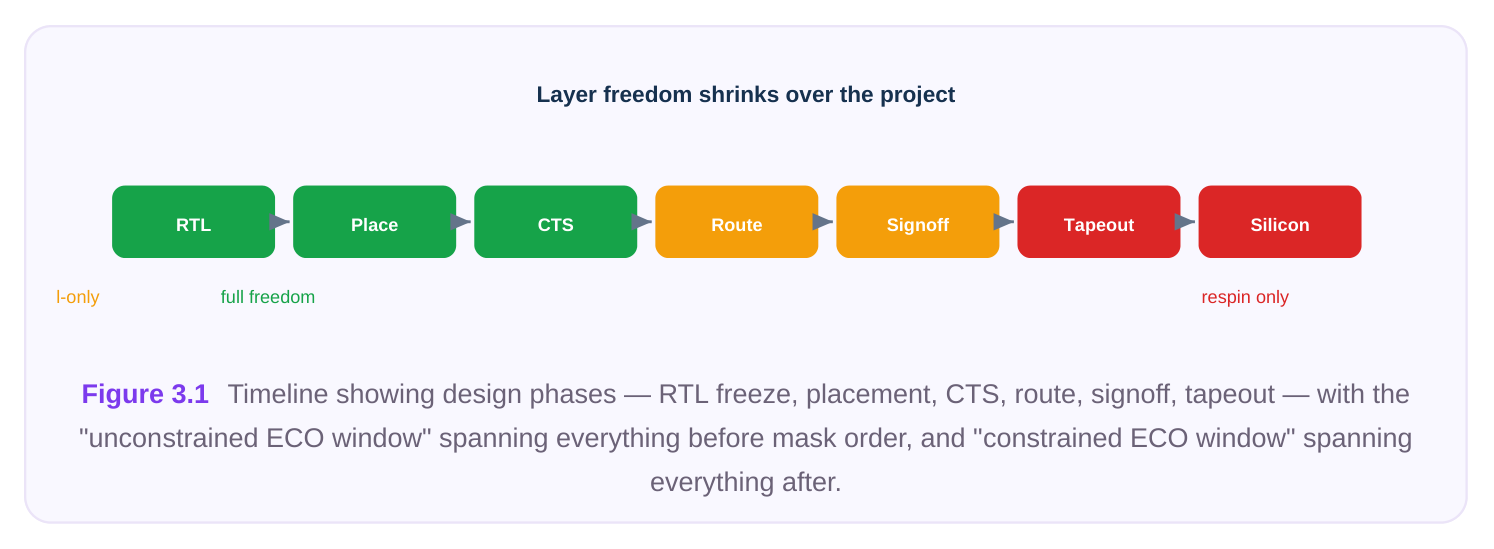
When a chip is still moving through the physical-design loop and no masks have been ordered, the engineering team enjoys a freedom it will never have again: every layer of the design is still soft. Standard cells can be added, deleted, moved, or resized at will. The placement grid is open. The routing is not committed to silicon. This is the world of the unconstrained ECO — the pre-tapeout change flow where the implementation tool is allowed to disturb whatever it must in order to make the design correct, as long as the result is clean, legal, and timing-closed. This chapter walks through what "unconstrained" really means, when you reach for it, the full end-toend loop you run, how it contrasts with the constrained (metal-only) fixes covered later, and the practical discipline that separates a surgical change from a chaotic one.
What "Unconstrained" Actually Means
The word unconstrained refers to the base layers — the diffusion, polysilicon, and lower contact layers that define the transistors themselves. In a pre-tapeout design, those layers have not been frozen into a mask set. Because the base is still editable, you are not limited to whatever spare or filler cells already sit on the floorplan. You can:
- Add brand-new cells anywhere there is open placement space.
- Delete cells that are no longer needed.
- Resize a cell to a stronger or weaker drive variant, changing its footprint.
- Move cells to relieve congestion or shorten a critical path. Contrast that with a post-tapeout change, where the base layers are committed and you may only edit metal and via layers. There, every new gate must come from a pre-placed spare cell, and you reconnect it by re-routing metal. In the unconstrained world, none of those restrictions apply. The optimizer treats the netlist and the layout as fully malleable. Frozen base layers vs re-spinnable metal M6 M5 M4 re-spinnable M3 (metal/via) M2 M1 contact poly FROZEN (transistors) diffusion Figure 3.2 Cross-section of a cell stack — base layers (diffusion/poly/contact) shaded "frozen after tapeout," metal/via layers shaded "always editable" — with annotations for what each ECO type may touch.
When You Use It
The unconstrained flow applies whenever the design has not taped out and you want maximum flexibility. Typical triggers include:
| Trigger | Why an unconstrained ECO fits |
|---|---|
| Late functional/RTL change | New logic must be inserted; spare cells alone can't express it |
cleanly.
Timing violations after route Buffers, sized cells, and re-placement are all fair game to close
DRV cleanup (max-transition / max- Insert or upsize drivers freely; legalize and reroute as needed.
| Functional ECO from verification | A logic equivalence mismatch demands real netlist surgery. |
|---|---|
| Floorplan-tolerant optimization | You can move cells, not just patch metal. |
The governing principle: as long as the base is not frozen, prefer the unconstrained flow because it produces a cleaner, more naturally optimized result. You only accept the restrictions of a constrained flow once those restrictions are forced on you by tapeout.
The End-to-End Loop
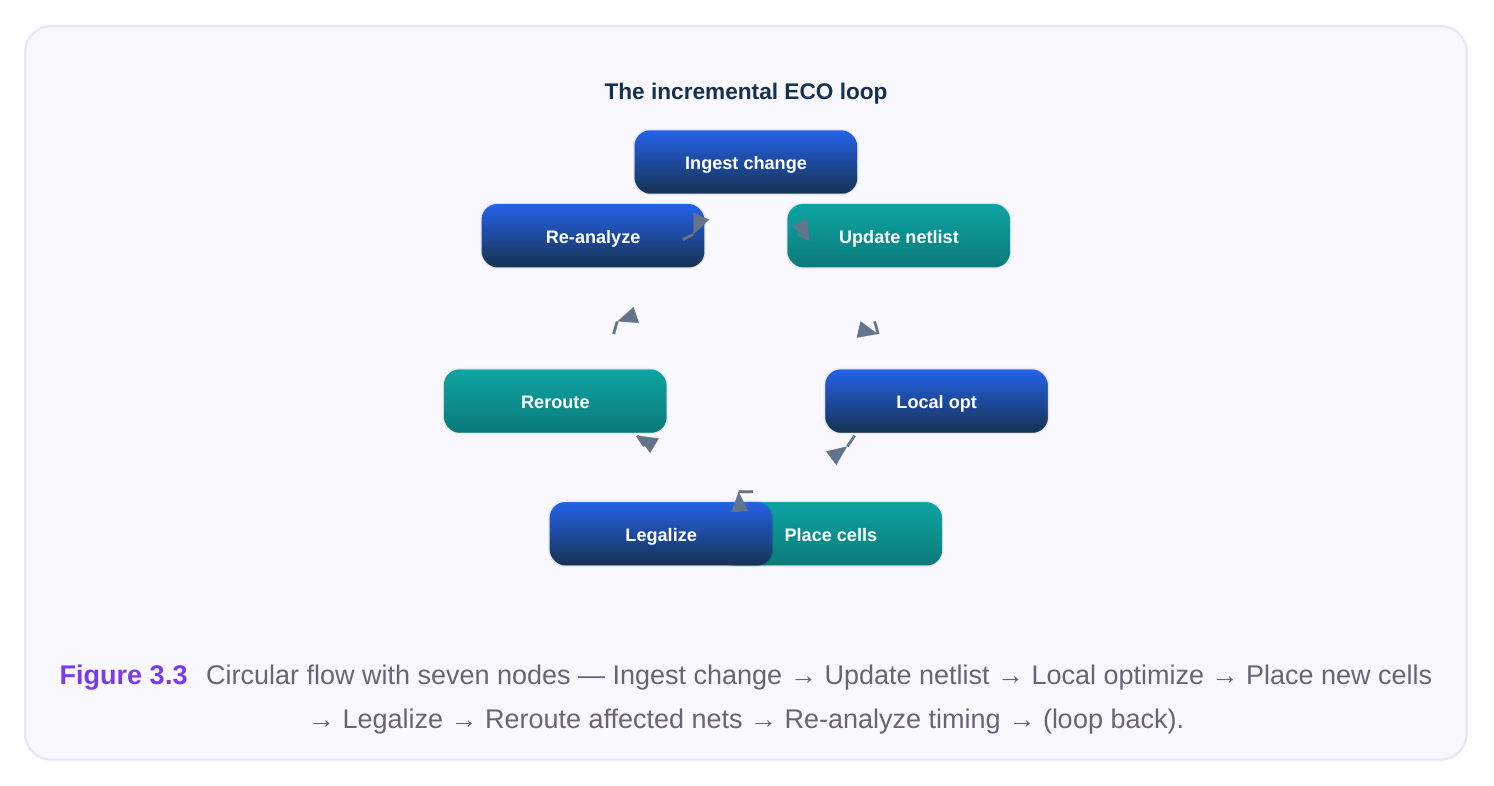
An unconstrained ECO is best understood as a closed loop. You make a change, you make the layout legal and routed again, you re-analyze, and you repeat until the design is clean. The seven stages below describe one full pass.
1. INGEST THE CHANGE
Everything starts with a precise description of what must change. This typically arrives as an ECO directive — a script or change list produced by an equivalence-check tool, a timing-fix engine, or a hand-written instruction from the designer. The implementation tool reads it and stages the intended edits without yet committing them to the database.
# Read the change directive and report what it intends to do
apply_eco -change_file fix_setup_block_a.eco -preview
report_eco_summary
# Output (illustrative):
#   cells to add ......... 14
#   cells to resize ...... 6
#   cells to delete ...... 2
#   nets affected ........ 23
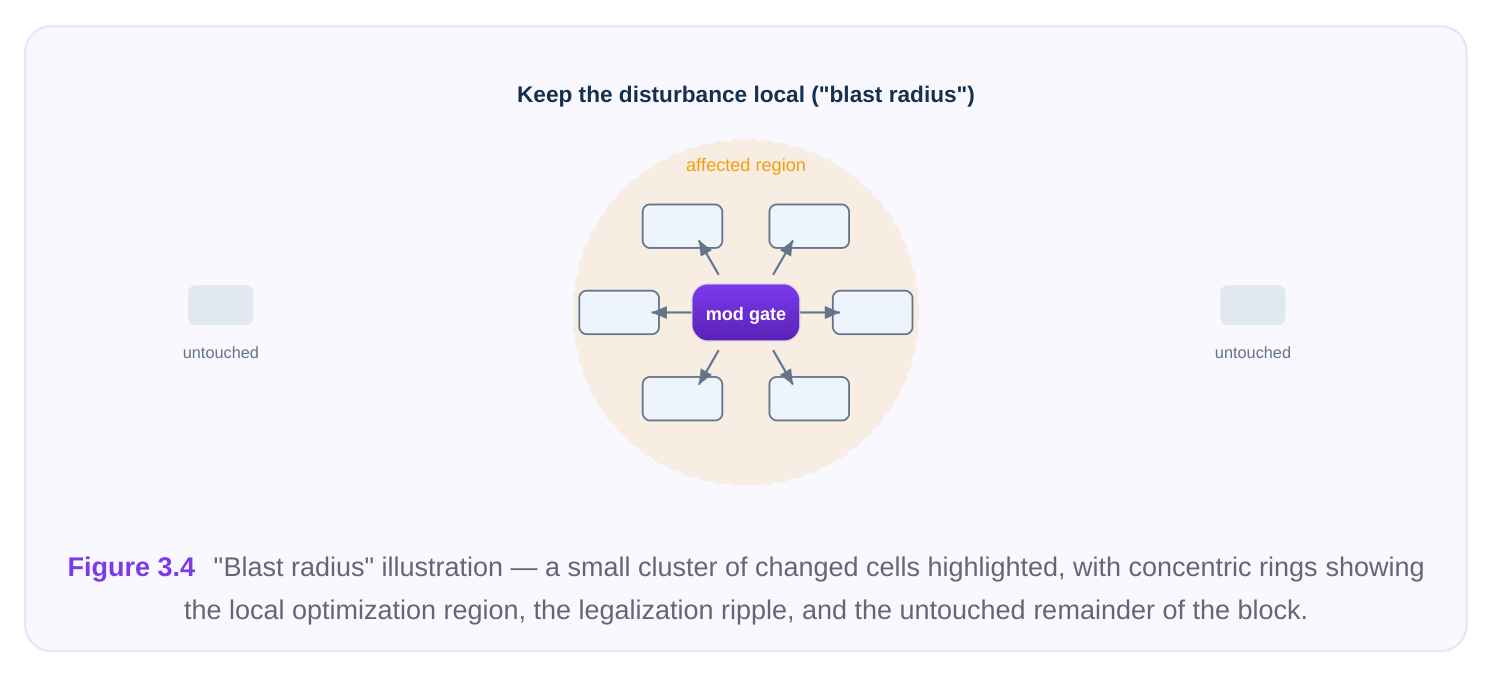
The -preview step matters. Before you let the tool touch the database, you want to know the blast radius: how many cells, how many nets, which region of the floorplan.
2. UPDATE THE NETLIST
Once you accept the directive, the tool edits the logical netlist — instantiating new cells, swapping cell masters for resized variants, removing dead logic, and rewiring the affected connections. At this moment the netlist is logically correct but physically inconsistent: new cells have no coordinates, and new nets have no wires.
# Commit the staged logical edits
apply_eco -change_file fix_setup_block_a.eco -commit
# Verify logical equivalence is preserved after the edit
check_netlist -eco_consistency
3. OPTIMIZE LOCALLY
Rather than blindly accepting whatever the directive specified, a good flow runs a bounded local optimization around the change. The tool may pick a better drive strength, choose a cleaner buffering topology, or merge redundant gates — but only within the affected neighborhood. The key word is local: optimization is scoped so it cannot ripple into untouched, already-closed logic.
# Optimize only the changed region, leave the rest of the design fixed
optimize_eco -region affected -effort medium \
-fix_drv true -size_cells true
4. PLACE THE NEW CELLS
New cells now need real coordinates. Incremental (or ECO) placement finds legal locations for the added gates while disturbing existing placement as little as possible. The placer searches for open space near the cell's connections so wirelength stays short, and it avoids ripping up the surrounding layout.
# Place only the newly added cells; do not re-place the whole block
place_eco_cells -only_new true -honor_existing true \
-max_displacement 5
5. LEGALIZE
ECO placement often drops cells onto fractional sites, on top of other cells, or off the placement rows. Legalization snaps every cell onto a legal row and site, resolves overlaps, and respects placement blockages and density rules. Because cells may shift slightly to make room, legalization is a frequent source of new small timing changes — which is exactly why re-analysis follows.
# Snap ECO cells to legal sites; minimize movement of existing cells
legalize -incremental true -fix_overlaps true \
-preserve_existing true
6. REROUTE THE AFFECTED NETS
With placement legal, the router connects the new and modified nets and repairs any wires that legalization disturbed. Incremental routing touches only the affected nets, leaving the vast majority of the existing routing untouched. The router must then verify there are no design-rule violations or shorts introduced by the new geometry.
# Route only nets touched by the ECO, then check for DRC
reroute -nets [get_eco_nets] -incremental true
report_drc -incremental
7. RE-ANALYZE TIMING
Finally, you re-run static timing on the affected paths (and, periodically, the full design) to confirm the fix worked and introduced no new violations. If new violations appear, you have a candidate for the next iteration of the loop.
# Check the paths the ECO was meant to fix, plus their neighbors
report_timing -from [get_eco_startpoints] \
-to   [get_eco_endpoints] -nworst 10
report_constraint -all_violators
The loop then repeats until timing, DRV, and DRC are all clean.
How It Differs from a Constrained / Metal-Only Fix
At a high level, the two flows differ in what they are allowed to change and therefore in how invasive they can be.
| Aspect | Unconstrained (pre-tapeout) | Constrained (metal-only, post-tapeout) |
|---|---|---|
| Base layers | Editable | Frozen |
| Source of new gates | Any cell, placed anywhere | Pre-placed spare/filler cells only |
| Resizing | Free (footprint may change) | Limited to same-footprint swaps, if any |
| Placement | New cells placed and legalized | Locations fixed by existing spares |
| Routing | Full metal + via reroute | Metal + via reroute only |
| Layers in mask revision | Potentially all | Only the metal/via layers touched |
| Cost of mistake | Another iteration | Wasted mask set — very expensive |
| Flexibility | Maximum | Minimal |
The takeaway interviewers look for: the unconstrained flow is cheaper to get right because nothing is committed to silicon, but it is also more powerful and more dangerous — a careless unconstrained ECO can ripple across a block and undo prior closure. The constrained flow is the opposite: tightly boxed in, but every edit is precious because masks are already partially committed.
Practical Cautions
The freedom of the unconstrained flow is exactly what makes discipline essential. A few principles separate a clean ECO from one that creates more problems than it solves. Keep the disturbance local. The single most important rule. Always scope optimization, placement, legalization, and routing to the affected region. If you let the tool re-optimize the whole block "while you're in there," you risk perturbing logic that was already closed, turning a 5-net fix into a full reclosure exercise. Preserve existing timing. Before and after the ECO, snapshot the timing on paths outside the change region and confirm they did not regress. Legalization shifts neighbors; a moved cell can lengthen a wire on a path you never intended to touch.
# Guard against collateral damage on untouched paths
report_timing -nworst 50 > timing_before.rpt
# ... run the ECO loop ...
report_timing -nworst 50 > timing_after.rpt
# diff the two: any new violator outside the ECO region is collateral damage
Use incremental, not from-scratch, engines. Incremental placement and routing exist precisely so you can fix a few nets without rebuilding the design. Reaching for a full place-and-route on a small change is slow, non-deterministic relative to your golden database, and almost always overkill. Respect congestion and density. Adding and upsizing cells consumes area and routing resources. In a dense region, dropping in a fistful of buffers can create congestion that the router cannot resolve. Check local density before and after, and spread the change if a single hot spot is forming. Stage and verify, don't fire and forget. Preview directives before committing. Re-run equivalence checking after netlist edits. Re-run DRC after rerouting. Each stage of the loop can introduce its own class of error, and the cheapest place to catch an error is immediately after the stage that caused it.
Interview Q&A
freedom? It refers to the base layers still being editable — the masks have not been ordered, so diffusion, poly, and contact are not frozen. Because the transistors themselves can still change, you are free to add, delete, resize, and move any cell, and to route freely on all layers. You are not restricted to pre-placed spare cells the way you would be in a metal-only post-tapeout fix.
Seven stages: ingest the change directive (and preview its blast radius), update the netlist to implement the logical change, run a local optimization around the change, place the newly added cells incrementally, legalize so every cell sits on a legal site without overlaps, reroute only the affected nets and check DRC, then re-analyze timing on the affected paths. Repeat until timing, DRV, and DRC are all clean.
touched now violates. What happened and how do you prevent it?
That is classic collateral damage, usually from legalization. To make room for the ECO cells, neighboring cells shifted, lengthening a wire on a previously clean path. Prevent it by scoping every stage to the affected region, limiting maximum cell displacement during placement and legalization, and snapshotting timing on out-of-region paths before and after so you can diff for new violators.
Because nothing is committed to silicon yet, the unconstrained flow produces a more natural, betteroptimized result — you can pick the ideal cell, place it where it belongs, and route it cleanly, rather than contorting the fix to reuse whatever spare cells happen to be nearby. The metal-only flow exists only because tapeout removes that freedom; you accept its restrictions only when forced to. Pretapeout, the unconstrained flow is both cheaper to get right and higher quality.
Key Takeaways
- "Unconstrained" = base layers still editable. No masks ordered means you can add, delete, resize, and move cells anywhere, and route on all layers.
- It is the pre-tapeout, maximum-flexibility flow. Use it for late RTL changes, timing and DRV fixes, and functional ECOs while the design is still soft.
- The loop has seven stages: ingest → update netlist → local optimize → place new cells → legalize → reroute affected nets → re-analyze timing, repeated to convergence.
- It differs from the constrained flow chiefly in what it may touch: unconstrained edits the base; metal-only edits only metal and vias and must reuse spare cells.
- Discipline is everything. Keep the disturbance local, use incremental engines, guard existing timing against collateral damage, watch congestion and density, and verify after every stage.
- Power cuts both ways. Freedom makes the unconstrained flow cleaner and cheaper to iterate, but a sloppy change can ripple across a block and undo prior closure.
Comments
Leave a Reply