 ChipBuddy
← Home
ChipBuddy
← Home
Applying Changes: Change-File vs Interactive Editing
Editing
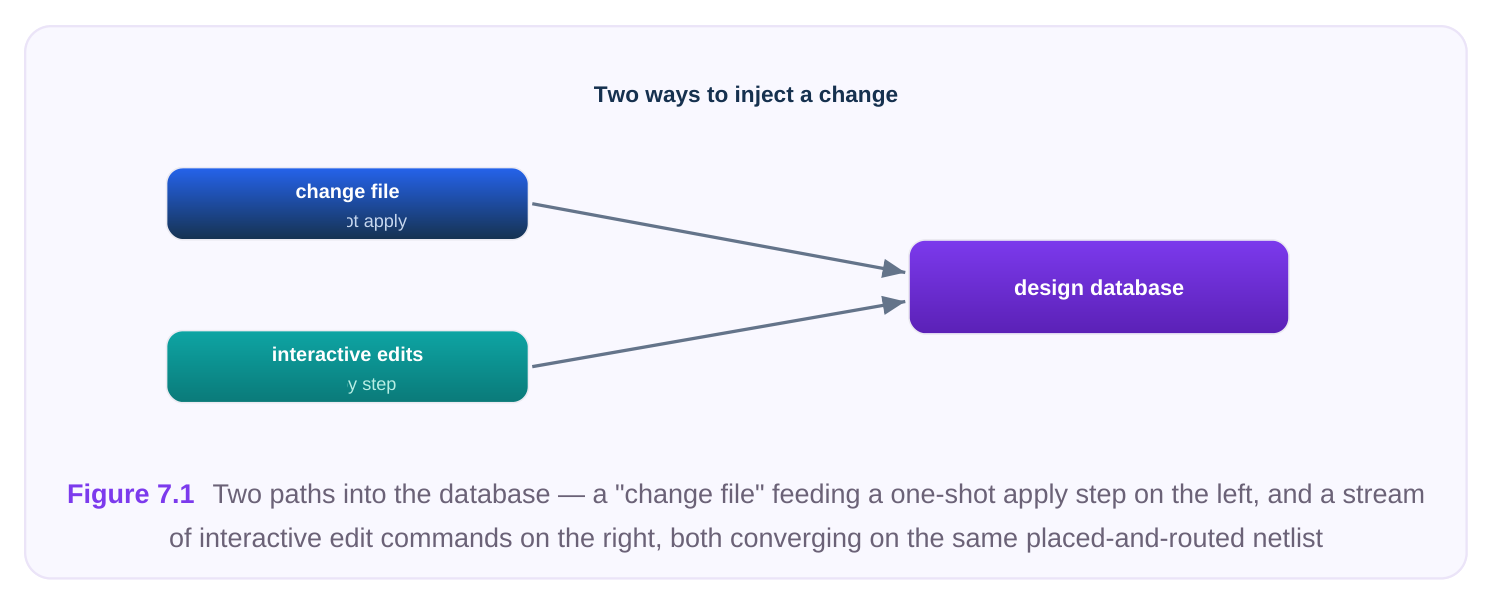
Once you know what must change in a design, the next question is how to inject that change into the netlist and the placed-and-routed database. In physical-design practice there are two broad mechanical styles for doing this, and a strong engineer knows both intimately: the change-file (scripted netlist) approach, where the full set of edits is described in a file and applied in a single pass, and the interactive editing approach, where you reshape the netlist one surgical command at a time. They are not rivals so much as two tools for two different jobs. This chapter walks through both, shows worked conceptual examples, and—just as importantly—covers how to verify that the edit landed correctly and that your logical and physical views remain consistent.
The Mental Model: An ECO Is a Connectivity Delta
Before comparing methods, fix the mental model. An ECO is not a re-synthesis. It is a delta: a precise description of which instances to add, which to remove, and how pins should be reconnected so the new logic behaves as intended. Both methods produce the same class of result—a modified netlist plus the physical operations (place the new cells, route the new nets) that follow. They differ only in how the delta is authored and consumed. This matters because everything downstream—legalization, incremental routing, timing closure, and signoff equivalence checking—operates on the result, not the method. So choosing between changefile and interactive is really a question of authoring ergonomics, reproducibility, and review discipline.
Method A: The Scripted Change File
A change file is a structured description of the new connectivity, written in a netlist-editing language or a list of edit directives, and applied to the design in one operation. Conceptually:
# Apply a complete, pre-authored ECO description in one pass
read_design  top_module.placed_routed.db
apply_eco_file  eco_fix_rev3.txt
# The tool parses every directive, builds the new instances,
# rewires the listed pins, and reports a summary of what changed
report_eco_summary
Inside that eco_fix_rev3.txt you would find directives that, in spirit, look like a batch of creates and connects—the same primitives we'll see interactively, just collected into a reviewable artifact:
# Contents of eco_fix_rev3.txt (conceptual)
create_cell   U_fix_buf1   BUFX2
create_cell   U_fix_and1   AND2X1
connect_pin   U_fix_and1/A   net_enable
connect_pin   U_fix_and1/B   net_mode
disconnect_pin U_target/D
connect_pin   U_fix_and1/Y   net_to_target_D
connect_pin   U_target/D     net_to_target_D
The defining strengths of the change-file approach are all about scale and discipline:
- One-shot application. Hundreds or thousands of edits—the typical output of an automated metal- only fix or a signoff-tool's hold-buffer insertion—apply atomically. You don't babysit each one.
- Reproducibility. The same file applied to the same starting database yields the same result every time. This is essential for signoff: you can re-run the entire ECO on a clean copy of the design and get a bit-identical netlist.
- Reviewability and diff-ability. Because the change is a text artifact, it can be checked into version control, code-reviewed by a peer, and diffed against a previous revision. When a reviewer asks "what exactly did this ECO touch?", the answer is the file.
- Tool-generated friendliness. Most automated ECO generators (timing-fix engines, DRC-fix utilities) emit their result as a change file. Applying it is the natural consumption path. The trade-off is that a change file is comparatively rigid. Authoring one by hand for a small fix is overkill, and iterating—"try this, no, try that"—is clumsy when each attempt means editing a file and re- applying. A few practical notes round out the picture. First, ordering matters inside a change file. The tool applies directives top to bottom, so a
connect_pinthat references a net or instance not yet created will fail or, worse, silently create a placeholder. Disciplined files create all new instances first, then perform disconnects, then perform reconnects—so that every name a connect refers to already exists. Second, change files are scope-sensitive: a directive likecreate_celllands in whatever hierarchical scope is current, so files that touch deep hierarchy must qualify names fully or set the scope explicitly. Third, a good change file is self-checking: it ends with a summary report and a connectivity check so that applying it also reports whether it succeeded, rather than leaving you to discover a half-applied ECO later. One more reason teams standardize on change files: traceability across revisions. When a block goes through three or four ECO spins before tapeout, each spin's file is a permanent record of intent. If a bug surfaces in the lab, you can diffeco_fix_rev2.txtagainsteco_fix_rev3.txtand see exactly which connections moved between spins—an audit trail that an interactive session simply does not leave behind.
Method B: Interactive Netlist Editing
Interactive editing manipulates the in-memory netlist with individual commands, each performing one atomic operation. You see the effect immediately and can probe the database between steps. This is the scalpel to the change-file's assembly line. The core primitives are small and composable. The table below lists the generic operations you should be able to name and use in an interview.
| Operation | Generic command | What it does |
|---|---|---|
| Add an instance | create_cell | Instantiates a library cell into the current scope |
| Remove an | remove_cell | Deletes an instance and dangles its connections |
instance
Make a connect_pin Attaches a pin to a net (creating the net if needed)
Break a disconnect_pin Detaches a pin, leaving it floating
Rename an object rename_cell / Changes an instance or net name
Substitute a cell swap_cell Replaces an instance with a logically/physically A worked example—inserting a buffer in the middle of a long net—shows the rhythm of interactive work:
# Surgically buffer a single long net, observing each step
set victim_net  net_clk_branch_7
# 1. Break the existing driver-to-load connection at the load
disconnect_pin  U_load_reg/CK
# 2. Drop in a new buffer instance
create_cell     U_eco_buf  CLKBUFX4
# 3. Wire the buffer in: driver -> buf input, buf output -> load
connect_pin     U_eco_buf/A   $victim_net
connect_pin     U_eco_buf/Y   net_clk_branch_7_buf
connect_pin     U_load_reg/CK net_clk_branch_7_buf
# 4. Confirm immediately
report_net_connections net_clk_branch_7_buf
A second common interactive task is a drive-strength fix, which is a single substitution rather than a rewire:
# Upsize a weak driver that is failing transition time
swap_cell  U_weak_driver  INVX1  INVX4
# swap_cell preserves pin connections by matching pin names,
# so no manual reconnection is needed for a same-footprint swap
report_cell  U_weak_driver
Interactive editing shines when:
- The fix is small and surgical—one buffer, one cell swap, one rewire.
- You are exploring—trying a fix, checking timing, undoing, trying another. The immediate feedback loop is the whole point.
- You are debugging an automated ECO that went wrong and need to hand-correct a handful of connections. Its weakness is the mirror of the change file's strength: a long sequence of interactive commands typed at a prompt is hard to reproduce, hard to review, and easy to get subtly wrong. The professional habit, therefore, is to capture your interactive session into a script so it becomes reproducible after the fact. A word on
swap_cell, because it is the most misused primitive in interactive editing. A swap is safe and connection-preserving only when the replacement cell shares the same pin names and the same logical function—anINVX1toINVX4upsizing, for example, or a low-Vt to standard-Vt variant of the same gate. The instant you swap to a cell with a different pin set or different function (say, replacing anAND2with aNAND2and "fixing it later"), connection preservation works against you: the old connections map onto the new pins blindly, and you have silently changed logic. Treat any swap that crosses function or footprint as a full rewire, not a swap, and let equivalence checking be the judge. Likewise,remove_celldeserves respect. Removing an instance leaves every net it touched in an altered state—an output net may now have no driver, an input net may now have one fewer load. If that cell was the sole driver of a downstream net, you have created a floating node that propagates an unknown value. Always plan the reconnection that follows a removal before you issue it.
Side-by-Side: When to Prefer Which
| Dimension | Change-file approach | Interactive editing |
|---|---|---|
| Edit volume | Large (tens to thousands) | Small (a handful) |
| Source of edits | Tool-generated or pre-authored | Hand-crafted, ad hoc |
| Reproducibility | Native—re-apply the file | Only if the session is captured |
| Reviewability | Excellent (diff-able text) | Poor unless scripted |
| Iteration speed | Slow (edit, re-apply) | Fast (immediate feedback) |
| Best for | Signoff fixes, hold buffering, automated DRC repair | Surgical tweaks, exploration, debug |
The pragmatic answer is combine them. Use interactive editing to discover and prototype a fix on a copy of the design, capture the working sequence, and then formalize it into a change file that becomes the reviewable, reproducible artifact applied to the golden database. Many teams mandate that anything touching a signoff database arrive as a change file, precisely so it can be audited— interactive editing is reserved for exploration, never for the final injection.
Verifying the Edit Took Effect
An ECO that you believe applied is worthless; you must confirm it. Verification happens at three layers, and skipping any of them is how silent bugs ship.
- 1. Local connectivity check. Immediately after the edit, inspect the objects you touched. Confirm the
new instances exist, the intended pins are connected, and nothing was left dangling.
# Confirm the new cell exists and is wired as intended
report_cell            U_eco_buf
report_net_connections net_clk_branch_7_buf
# Sweep for accidental floating pins or unconnected nets
check_netlist_connectivity -unconnected_pins -floating_nets
Pay special attention to dangling objects. A disconnect_pin followed by a forgotten connect_pin leaves a floating input—often benign in a quick look but catastrophic in silicon. A remove_cell can orphan a net that now drives nothing or is driven by nothing.
- 2. Design-rule and structural checks. After connectivity is right, confirm you didn't violate basic
structural rules: no multiply-driven nets (two outputs on one net), no combinational loops introduced by the rewire, and no constant/tie issues created by a removed driver.
- 3. Functional equivalence checking. This is the non-negotiable signoff layer. The whole premise of
an ECO is that it implements an intended logic change. You must prove the post-ECO netlist matches the new reference—either the updated RTL or a known-good golden netlist—using formal equivalence checking. For a functional ECO the reference is the new RTL; for a timing-only ECO (buffers, sizing) the reference is the pre-ECO netlist, because such edits must be logically transparent.
# Prove the edited netlist matches the intended reference
set_reference   golden_netlist_or_new_rtl
set_implementation  top_module.post_eco.db
run_equivalence_check
report_equivalence_status   ;# expect: EQUIVALENT
If a timing-only ECO comes back non-equivalent, you almost certainly broke logic—a buffer inserted with the wrong polarity, a swap to a non-equivalent cell, or a mis-wired pin. That is exactly the failure equivalence checking exists to catch.
Keeping Logical and Physical Views Consistent
A subtle but interview-favorite point: in a placed-and-routed database the netlist exists in two coupled forms—the logical view (instances, pins, nets, connectivity) and the physical view (cell placement, routed geometry, blockages). An ECO edit must update both, or the database becomes internally inconsistent. When you create_cell , you have added a logical instance with no location—it is "floating" physically until placed. When you remove_cell , the logical instance is gone but its former footprint and routed wires may linger as stale geometry. The disciplined sequence is therefore: make the logical edit, then reconcile the physical view.
# After logical edits, reconcile the physical database
place_eco_cells          ;# legalize newly created instances into free sites
route_eco_nets           ;# incrementally route only the new/changed nets
remove_dangling_routes   ;# clean up geometry orphaned by removed cells
verify_placement_legality
Common pitfalls to watch:
- Unplaced new cells. A
create_cellwith no follow-up placement leaves an instance the router cannot connect. Timing and DRC will both flag it, but only if you run them. - Stale routing. A
remove_cellcan leave routed metal connected to nothing—an antenna or short risk—unless you explicitly clean it. - Site/row legality. Newly placed ECO cells must land on legal rows and not overlap existing cells; legalization handles this, but on congested designs it may displace neighbors, which itself can perturb timing. The golden rule: a logical edit is only half an ECO. The physical reconciliation and a re-check (timing, DRC, and equivalence) complete it.
Interview Q&A
Use a change file when the edit set is large, tool-generated, or destined for a signoff database— because it is reproducible, reviewable, and diff-able. Use interactive editing for small, surgical fixes
and for exploration, where the immediate feedback loop matters. In practice I prototype interactively, capture the session, and promote it to a change file for the final, audited application.
What might be wrong? Most likely the new buffer is unplaced. create_cell adds a logical instance with no location, so until it is legalized and its nets are incrementally routed, the tool can't extract real parasitics for it—timing reflects the old, unbuffered net or an estimate. I'd verify placement legality of the new cell and confirm the ECO nets were actually routed before re-evaluating timing.
resizes gates? Because "only buffers and resizes" is exactly where polarity and pin-mapping mistakes hide. A buffer inserted backwards, a swap to a non-equivalent cell, or a mis-typed pin name silently changes logic. A timing-only ECO must be logically transparent, so the post-ECO netlist must prove EQUIVALENT against the pre-ECO netlist. If it doesn't, the "harmless" edit broke function.
near where the cell used to be. Why? Removing the logical instance does not automatically remove its routed geometry or clean up nets it used to drive. Stale metal left behind can create shorts, opens, or antenna violations. The fix is to clean dangling routes and reconcile the physical view after the logical removal—remember that a logical edit is only half the ECO; the physical cleanup completes it.
Key Takeaways
- An ECO is a connectivity delta; change-file and interactive editing are two ways to author the same result.
- Change files win on scale, reproducibility, and reviewability—ideal for tool-generated and signoff fixes. Interactive editing wins on speed and exploration—ideal for small, surgical changes.
- Know the core primitives by name:
create_cell,remove_cell,connect_pin,disconnect_pin,rename_*, andswap_cell. - Combine the methods: prototype interactively, capture, then formalize into a reviewed change file for the golden database.
- Verify in three layers: local connectivity, structural/DRC rules, and formal equivalence checking against the correct reference (new RTL for functional ECOs, pre-ECO netlist for timing-only ones).
- A logical edit is only half an ECO—always reconcile the physical view (place new cells, incrementally route, remove stale geometry) and re-check before declaring the change complete.
Comments
Leave a Reply