 ChipBuddy
← Home
ChipBuddy
← Home
CTS Sign-off, Pitfalls & Quick Reference
Chapter 14 — CTS Sign-Off, Pitfalls & Quick Reference
You have built the clock tree, balanced its branches, applied useful skew where it earned its keep, and let concurrent clock-data optimization (CCD) trade clock-path delay against data-path slack. Now comes the moment every physical-design engineer is judged on: can you declare the clock tree done? Sign-off is not a single command or a single report. It is a disciplined cross-check that the tree meets every quality, timing, power, and structural target simultaneously, across every corner and every mode. This closing chapter consolidates that judgment into checklists, failure catalogs, troubleshooting maps, and a command quick-reference you can carry into a tape-out review or an interview.
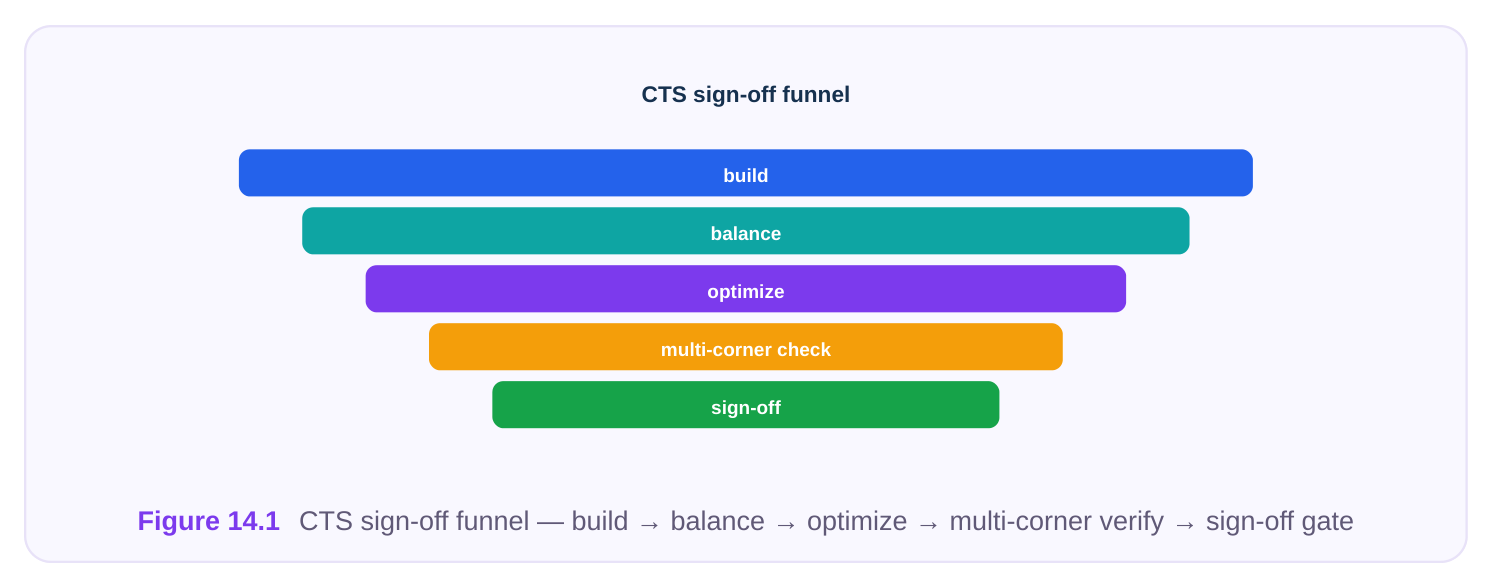
14.1 What Must Be True to Sign Off a Clock Tree
A clock tree is not "done" because the tool reported it finished. It is done when each of the following holds true and you can point to the report that proves it. Think of these as independent gates; failing any one sends you back, not forward.
# Sign-off condition What "pass" means| 1 | Skew within budget per | Local skew inside each defined group is within its own target, not just a |
|---|---|---|
| skew group | global number | |
| 2 | Insertion delay / latency in budget | Source-to-leaf latency sits inside the planned window; not so deep it burns power, not so shallow it can't balance |
| 3 | Transition / slew clean | Every clock pin and buffer output meets the max-transition rule; no slow |
edges feeding flops
| 4 | No new setup/hold | The act of building the tree did not introduce timing failures that did not |
|---|---|---|
| violations | exist pre-CTS | |
| 5 | Useful-skew limits honored | Intentional skew stays inside guardrails; no path was "fixed" by |
borrowing skew it cannot sustain across corners
| 6 | Depth / buffer count | Tree depth and total clock-cell count are within the area and power plan; |
|---|---|---|
| reasonable | no pathological deep chains | |
| 7 | Clock power within budget | Dynamic + leakage of the clock network meets the power target; buffer |
sizing and gating respected
8 Structure as intended H-tree, multi-tap, mesh, or hybrid matches the floorplan intent; macro
| 9 | Multi-corner / multi-mode | Conditions 1–8 hold across all sign-off corners and all functional/test |
|---|---|---|
| consistency | modes, not just the setup-worst case |
The most common rookie mistake is signing off on a global skew number while a single critical skew group is blown, or signing off in one mode while the scan-shift mode quietly fails hold. Sign-off is the intersection of all conditions across all scenarios — never the union of the best results.
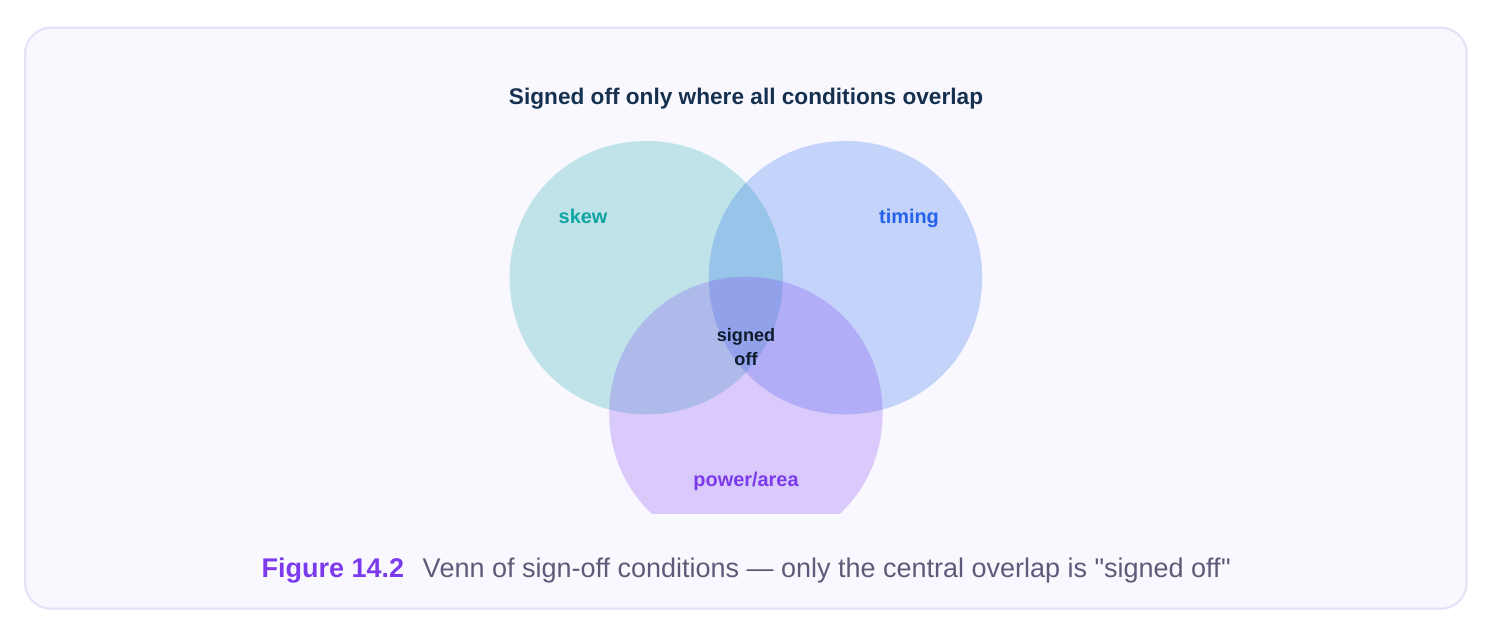
14.2 The Grouped CTS Sign-Off Checklist
Run this as four passes. Do not advance to the next group until the current one is clean, because a power fix can break timing and a timing fix can break slew.
A. Clock Quality
- [ ] Global skew reported and within target
- [ ] Per-skew-group local skew within each group's budget
- [ ] Max insertion delay / latency inside the planned window
- [ ] Min-to-max latency spread acceptable across leaves
- [ ] All clock-pin transitions meet max-transition rule
- [ ] No floating, dangling, or unbalanced clock endpoints
- [ ] Clock-gating cells correctly placed in the tree (enable timing clean)
B. Timing
- [ ] No setup violations introduced by CTS (compare pre- vs post-CTS)
- [ ] No hold violations introduced — especially after useful skew / CCD
- [ ] Useful-skew offsets within declared guardrails
- [ ] Inter-clock (clock-to-clock) skew checked where domains interact
- [ ] On-chip variation (OCV / derating) applied and still clean
- [ ] Crossing paths (sync interfaces, async FIFOs) re-verified
C. Power & Area
- [ ] Clock dynamic power within budget
- [ ] Clock leakage within budget
- [ ] Buffer / inverter count within plan
- [ ] No oversized drivers used purely to hit slew
- [ ] Gating coverage at expected level (no ungated high-toggle branches)
- [ ] Routing resource (clock-layer tracks, shielding) within allocation
D. Completeness
- [ ] All clocks built (no skipped generated or divided clocks)
- [ ] All NDR / shielding / non-default routing rules applied to clock nets
- [ ] Don't-touch / don't-use lists respected
- [ ] Multi-corner, multi-mode (MCMM) scenarios all analyzed
- [ ] Reports archived and diffable against the previous run
14.3 The Most Common CTS Problems and Fixes
These are the failures that show up again and again in real runs. Memorize the lever column — interviewers love asking "what would you actually change?"
| Problem | Typical symptom | Root cause | Primary fix / lever |
|---|---|---|---|
| High global skew | Skew far over budget across the | Imbalanced branch lengths, mixed leaf loads chip | Re-balance taps, add intermediate buffer levels, tighten balancing target |
| Skew-group | One group blown | Group spans long distance | Split/redefine groups, dedicate a |
| imbalance | while others fine | or mixed cell types | tap per group, exclude outliers |
| Excessive | Latency too deep, | Too many buffer levels, | Reduce depth, upsize drivers to |
| insertion delay | power high | conservative slew target | cut levels, relax over-tight slew |
| Slew / transition | Slow clock edges | Undersized buffers, long | Insert buffers, upsize, apply |
| violations | at leaves | unbuffered nets, high fanout | NDR (wider/spaced) routing |
| Hold introduced | New hold fails | Skew pushed launch later | Cap useful-skew range, add hold |
| by useful skew | after skew/CCD | than capture can absorb | buffers, re-run CCD with tighter |
constraints
| Runtime blowup | CTS / CCD takes | Huge fanout, too many skew | Pre-cluster leaves, reduce effort |
|---|---|---|---|
| excessive time | groups, aggressive | tier, partition the tree, prune optimization effort | scenarios |
| Macro insertion- | Macro-fed flops | Wrong/absent macro | Annotate correct macro clock |
| delay mismodeled | skewed vs core | internal-clock latency in model | latency, balance to the macro pin, not the boundary |
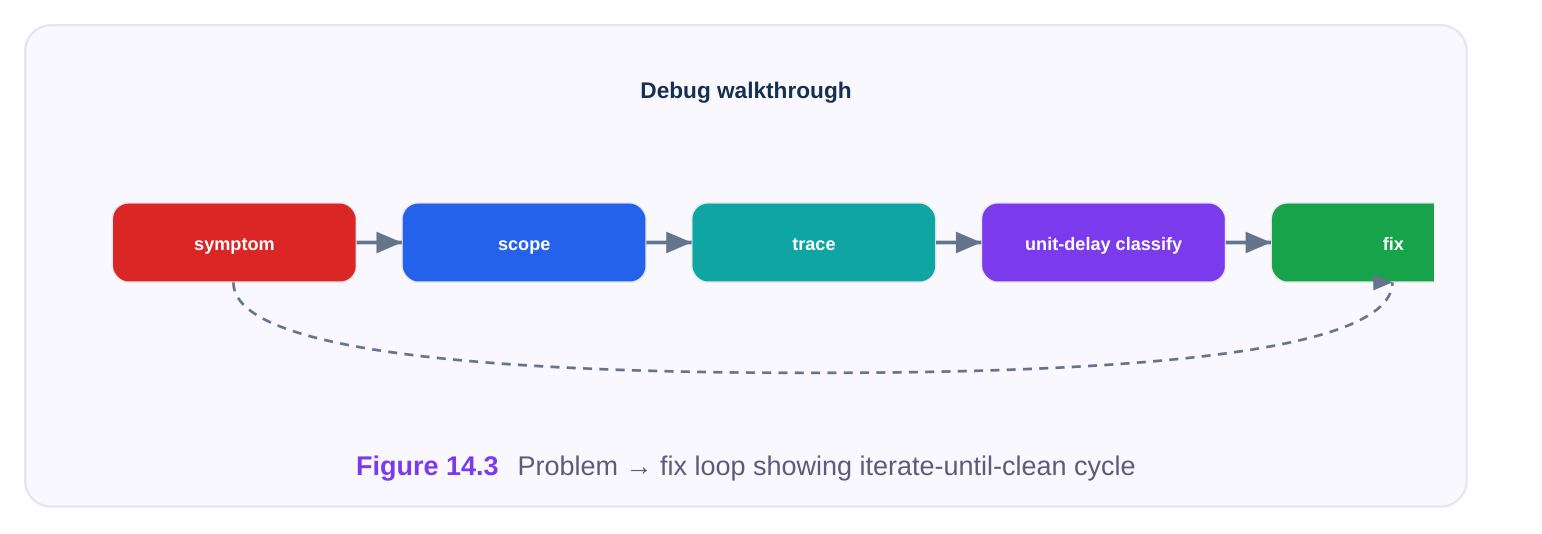
14.4 Symptom → Likely Cause → Lever Troubleshooting Table
When a report is red and you have minutes, not hours, work from the symptom you see to the most probable cause, then the cheapest lever first.
Symptom you
Likely cause First lever to pull If that fails
| Skew good, setup still | Insertion delay too high | Reduce tree depth / | Apply useful skew to the |
|---|---|---|---|
| fails | eating cycle | latency | failing endpoint |
| Hold appears only | Useful skew or CCD over- post-CTS | Tighten skew guardrail shifted launch | Add hold-fixing buffers on data path |
| Slew bad on a few | Long net or undersized | Upsize / re-buffer last | Apply wider-spaced NDR on |
| leaves | last buffer | stage | that net |
| One mode fails, | Mode-specific gating / | Verify clock def in that | Re-balance per-mode |
| others pass | divided clock | mode | scenario |
| Power over budget, | Over-buffered or ungated | Increase gating, | Reduce balancing |
| timing fine | branches | downsize drivers | aggressiveness |
| Latency varies wildly | Mixed leaf loads, poor leaf-to-leaf | Re-cluster sinks, clustering | Add a balancing buffer level equalize loads |
| Macro path skewed | Macro internal latency | Annotate macro clock | Balance to macro clock pin |
| vs core | unmodeled | latency | directly |
| Runtime explodes | Too many concurrent near end | Drop redundant scenarios | Lower optimization effort tier corners |
The discipline: change one lever, re-measure, then decide. Pulling three levers at once makes the next debug impossible because you can't attribute the change.
14.5 Consolidated Command Quick-Reference
Below is the full CTS + concurrent-optimization workflow as commands. Read the comment on every line. SDC constraint commands are genuinely portable and standard. Anything marked illustrative is a generic placeholder that captures intent but is not real tool syntax and will not run verbatim — your flow will have its own equivalents.
Step 1 — Define and constrain the clocks (industry-standard SDC)
# Industry-standard SDC — portable across tools
create_clock -name clk_core -period 2.0 [get_ports clk_in]
create_generated_clock -name clk_div2 -source [get_ports clk_in] \
-divide_by 2 [get_pins div_reg/Q]
# Uncertainty and transition budgets feed CTS targets
set_clock_uncertainty -setup 0.08 [get_clocks clk_core]
set_clock_uncertainty -hold  0.04 [get_clocks clk_core]
set_clock_transition  0.10 [get_clocks clk_core]
# Tell timing the tree is not yet built (pre-CTS) / is built (post-CTS)
set_propagated_clock [all_clocks]
Step 2 — Set CTS targets and structure (illustrative)
# illustrative — generic, not tool-specific
set_clock_tree_target -skew 0.05 -max_transition 0.10 -max_latency 0.60
set_clock_tree_structure -clock clk_core -type htree -taps 8
define_skew_group -name grp_alu  -clock clk_core -pins [get_clk_pins alu_*]
define_skew_group -name grp_mem  -clock clk_core -pins [get_clk_pins mem_*]
set_clock_cell_list -buffers {BUFx2 BUFx4 BUFx8} -inverters {INVx4 INVx8}
set_clock_route_rule -clock clk_core -ndr wide_2x_shielded
Step 3 — Build, balance, and concurrently optimize (illustrative)
# illustrative — generic, not tool-specific
synthesize_clock_tree -clock clk_core            ;# build the tree
balance_clock_tree -groups {grp_alu grp_mem}     ;# per-group balancing
optimize_clock_and_data -mode concurrent \
-useful_skew on -skew_limit 0.15             ;# CCD: trade clock vs data
fix_clock_hold -scenarios {func_slow scan_slow}  ;# repair any new hold
Step 4 — Verify and report (mixed)
# Industry-standard SDC for analysis setup
set_operating_conditions -analysis_type on_chip_variation
update_timing
# illustrative — generic reporting, not tool-specific
report_clock_tree     -skew -latency -transition
report_skew_group     -all
report_clock_power
report_timing -setup -hold -path_group [all_clocks]
check_clock_tree_signoff -mcmm ;# the final gate| Command | Class | Note |
|---|---|---|
| create_clock , create_generated_clock | Standard SDC | Portable, real |
| set_clock_uncertainty , set_clock_transition | Standard SDC | Portable, real |
| set_propagated_clock , update_timing | Standard SDC | Portable, real |
| set_operating_conditions | Standard SDC | Portable, real |
| set_clock_tree_target , define_skew_group | Illustrative | Intent only, not real syntax |
| synthesize_clock_tree , balance_clock_tree | Illustrative | Intent only, not real syntax |
| optimize_clock_and_data , fix_clock_hold | Illustrative | Intent only, not real syntax |
| report_clock_tree , check_clock_tree_signoff | Illustrative | Intent only, not real syntax |
The takeaway for interviews: constraints are standard, engine actions are tool-specific. If you can write correct SDC and describe what each build/optimize step does, you have demonstrated the portable skill that matters.
14.6 Interview Cheat-Sheet: Key Concepts in One Place
A rapid mental model you can recite under pressure.
| Concept | One-line definition | Why it matters |
|---|---|---|
| Skew | Difference in clock arrival times | Eats cycle time; drives setup/hold margin |
between two endpoints
Slew / transition How fast the clock edge rises/falls Slow edges hurt timing and add power;
| Latency / insertion | Source-to-leaf clock travel time | Too deep = power & variation; too shallow |
|---|---|---|
| delay | = can't balance | |
| Useful skew | Intentionally unequal arrival to steal/ lend slack | Fixes timing without resizing logic — within guardrails |
| Chains | Series of buffers from root toward leaves | Depth determines latency, variation sensitivity, power |
| Skew groups | Sets of endpoints balanced together to a shared target | Lets you relax skew where it's harmless, tighten where critical |
| Concurrent clock- | Optimize clock arrival and data path | Trades clock delay for data slack; better |
| data (CCD) | together | than fixing each alone |
| Global vs local skew | Whole-clock vs within-a-group skew | Sign off on local per group, not just one |
global number
MCMM Multi-corner, multi-mode analysis Tree must pass all scenarios at once, not
Three sentences that make you sound senior
- 1. "I sign off on per-skew-group local skew across all corners and modes, not a single global
number."
- 2. "Useful skew and CCD are powerful but I always re-check hold afterward, because borrowing
slack can push launch past what capture can absorb."
- 3. "Insertion delay is a budget, not a 'make it small' goal — too shallow won't balance, too deep burns
power and amplifies OCV."
14.7 Interview Q&A — Rapid Fire
likely too high, consuming cycle time, or a local skew group is blown even though the global average looks good. Reduce latency/depth, check per-group skew, and apply useful skew to the specific failing endpoint.
how do you fix it? A. Useful skew delayed the launch clock relative to capture, so data now arrives too early to be held. Tighten the useful-skew guardrail, add hold-fixing buffers on the data path, and rerun CCD with a stricter skew limit.
sign off on? A. Global skew is across the entire clock domain; local skew is within a defined group of related endpoints. You sign off on local per-group budgets — a good global number can hide a critically blown group.
path separately? A. Sequential fixing optimizes each in isolation and misses cross-trades. CCD adjusts clock arrival and data-path delay together, so it can lend a few picoseconds of clock skew exactly where a data path needs slack, reaching closure with fewer cells and less power.
tree is balanced. What happened? A. The macro's internal clock latency is mismodeled or missing, so the tool balanced to the macro's boundary pin instead of its true internal clock arrival. Annotate the correct macro clock latency and balance to the actual clock pin.
Key Takeaways
- Sign-off is an intersection, not a checkbox. Skew (per group), latency, slew, setup/hold, useful- skew limits, depth, power, structure, and MCMM consistency must all hold at once.
- Sign off on local, per-skew-group skew across every corner and mode — never a single global number from a single scenario.
- Insertion delay is a window, not a minimization target — too shallow can't balance, too deep wastes power and magnifies variation.
- Useful skew and CCD are leverage, but always re-verify hold afterward; borrowed slack is the number-one source of post-optimization hold failures.
- Debug by symptom → likely cause → cheapest lever, one change at a time — pulling multiple levers destroys your ability to attribute the result.
- Know which commands are portable. SDC constraints (
create_clock,set_clock_uncertainty,set_propagated_clock) are real and standard; build/balance/optimize engine commands are tool-specific and were shown here as illustrative intent. - The senior signal is treating the clock tree as a multi-objective, multi-scenario problem and proving each gate with an archived, diffable report.
Comments
Leave a Reply