 ChipBuddy
← Home
ChipBuddy
← Home
CTS Synthesis Settings
8. CTS Synthesis Settings
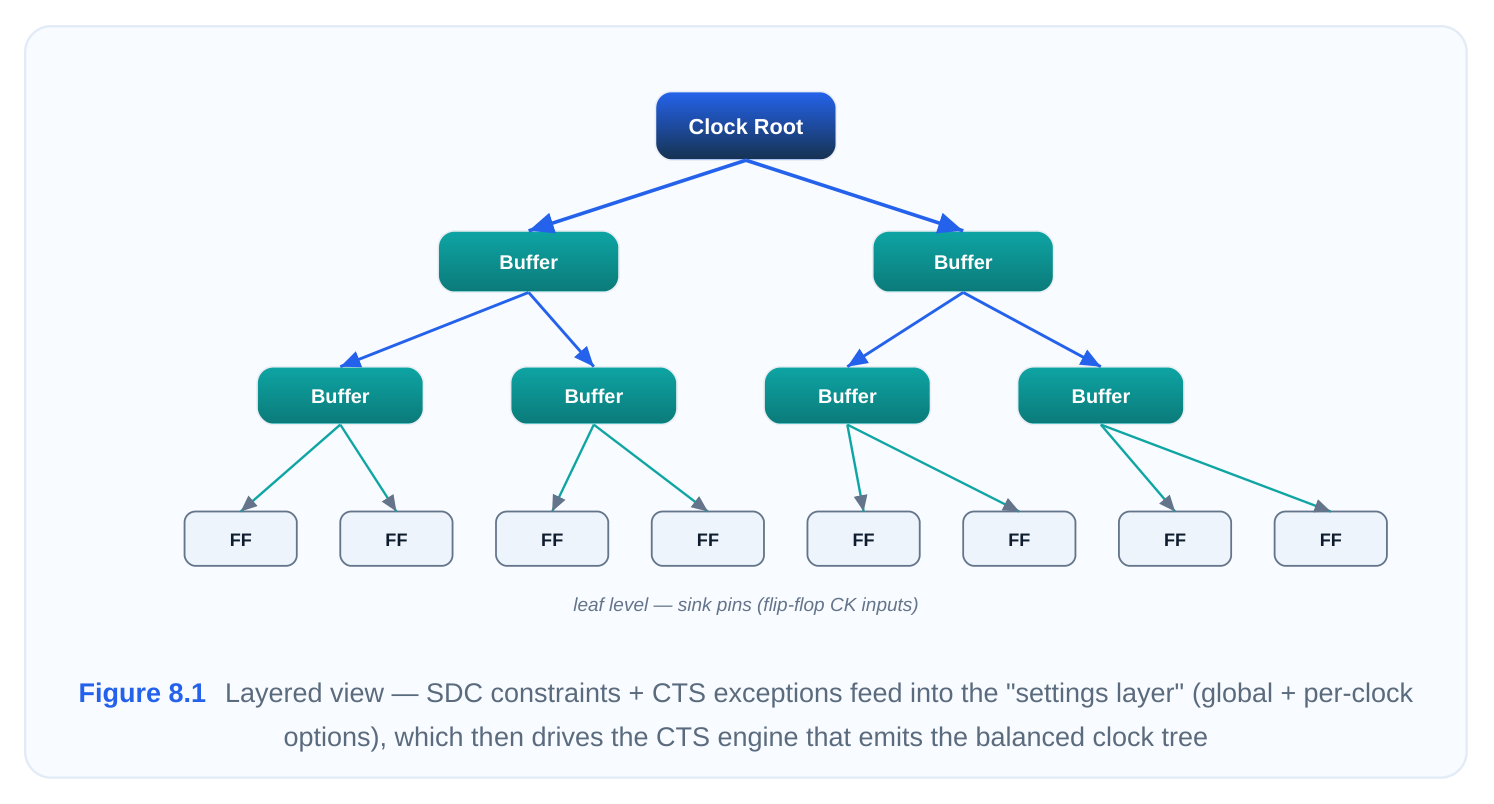
Once the floorplan is locked, the timing constraints are clean, and the clock-tree exceptions (non-stop pins, ignore pins, balance groups) are declared, the tool still needs to be told how aggressively and with what priorities it should build the tree. That instruction layer is the synthesis settings. Think of the constraints as the rules of the game and the settings as the playbook: two engineers can hand the tool an identical SDC and identical exceptions, yet one walks away with a low-power, mesh-light tree and the other with a latency-optimized, skew-minimized tree — purely because of how they tuned the synthesis knobs. This topic is deliberately the orientation chapter. Before you memorize a 200-line options reference, you need a mental model of the single command that delivers most of those options, how its scoping and precedence work, and which family of settings you reach for to solve a given problem. Get that model right and the rest is lookup.
8.1 The set_clock_tree_options Command
set_clock_tree_options is the central configuration command for clock tree synthesis in Synopsys-style flows (the analogous concept exists in every CTS engine, though the keyword differs — setCTS‐ Mode / create_ccopt_clock_tree_spec in the Cadence world, for instance). Almost every behavioral choice you want to make — target skew, maximum transition, buffer and inverter cell lists, maximum fanout, routing rules, power-saving modes — is expressed through this one command or its close relatives. Understanding its grammar, its scoping, and its precedence rules is therefore the highestleverage thing you can learn about CTS configuration.
Anatomy of the command
The command takes a long list of dash-prefixed options. The general shape is:
set_clock_tree_options \
[-clocks <clock_list>] \
[-target_skew <value>] \
[-target_latency <value>] \
[-max_transition <value>] \
[-max_capacitance <value>] \
[-max_fanout <value>] \
[-buffer_list {<cells>}] \
[-inverter_list {<cells>}] \
[-routing_rule <rule_name>] \
[-layer_list {<metal_layers>}]
Two things matter immediately. First, the command is additive and stateful — you can call it many times over the course of a script, and each call layers its settings onto the running configuration rather than wiping the slate clean. Second, the optional -clocks switch is the hinge on which scoping turns. Leave it off and you are configuring globally; include it and you are configuring only the listed clocks.
Global configuration
A call with no -clocks argument sets the default behavior for every clock in the design that does not have a more specific override. This is where you establish the baseline policy — the values you are happy to apply across the board.
# Global defaults applied to all clocks
set_clock_tree_options \
-target_skew 0.045 \
-max_transition 0.135 \
-max_capacitance 0.165 \
-max_fanout 28 \
-buffer_list {CKBUFX4 CKBUFX8 CKBUFX16} \
-inverter_list {CKINVX4 CKINVX8 CKINVX16}
Here every clock inherits a 45 ps skew target, a 135 ps transition ceiling, and the listed clock-buffer/ inverter library cells. If your design had a single clock domain, you might never write anything else. Most real SoCs, however, have a dozen or more clocks with wildly different requirements, which is exactly why per-clock configuration exists.
Per-clock configuration
When you add -clocks , the settings in that call apply only to the named clocks. This lets you treat a high-speed CPU clock differently from a sleepy I2C clock without duplicating an entire configuration.
# A tight, latency-aware policy just for the fast core clock
set_clock_tree_options \
-clocks {cpu_clk} \
-target_skew 0.022 \
-max_transition 0.080 \
-buffer_list {CKBUFX8 CKBUFX16 CKBUFX24}
# A relaxed, power-friendly policy for a slow peripheral clock
set_clock_tree_options \
-clocks {i2c_clk spi_clk} \
-target_skew 0.110 \
-max_fanout 44
The cpu_clk now chases a 22 ps skew with larger drive strengths, while the peripheral clocks are allowed to drift to 110 ps of skew and pack more loads per buffer — sacrificing skew quality to save buffers and dynamic power on nets that simply do not need the precision.
Option precedence: how local overrides global
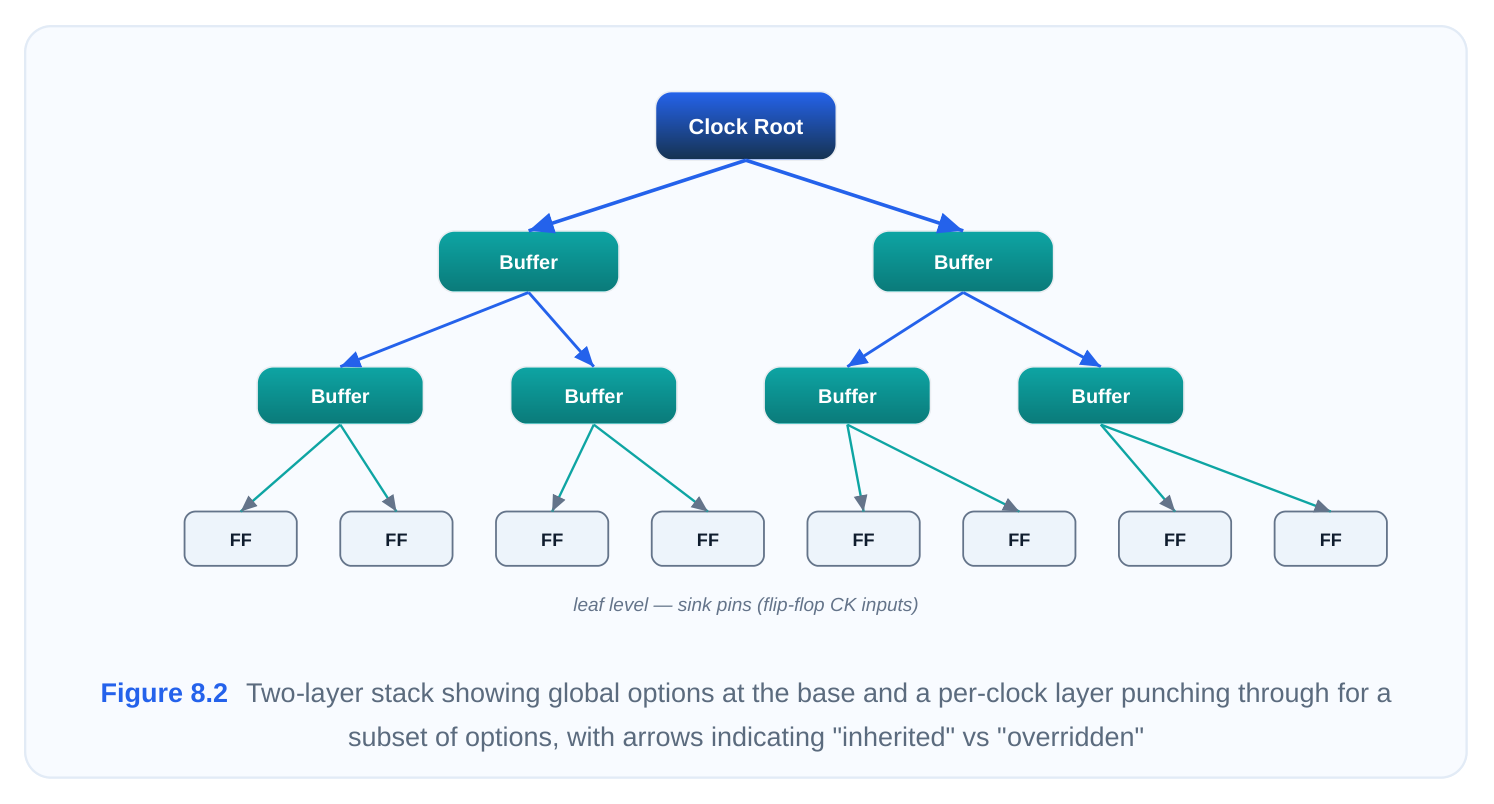
The single most tested concept here is precedence. The rule is intuitive once stated: a more specific (per-clock) setting always wins over a less specific (global) setting for the same option, on the clocks it covers. Options that the per-clock call does not mention continue to inherit the global value. In other words, the override is per-option, not per-clock-wholesale. Walk through what cpu_clk actually ends up with, given the global block plus the per-clock block above:
| cpu_clk per-clock | Effective value for | |||
|---|---|---|---|---|
| Option | Global value | Source | ||
| value | cpu_clk | |||
| -target_skew | 0.050 | 0.025 | 0.025 | per-clock over‐ |
ride
| -max_trans‐ | 0.150 | 0.090 | 0.090 | per-clock over‐ |
|---|---|---|---|---|
| ition | ride | |||
| -buffer_list | CK‐ | CKBUFX8/16/24 | CKBUFX8/16/24 BUFX4/8/16 | per-clock over‐ ride |
| -max_capacit‐ | 0.180 | (not set) | 0.180 ance | inherited from global |
| -max_fanout | 32 | (not set) | 32 | inherited from |
global
| -inverter_list | CKIN‐ | (not set) | CKINVX4/8/16 | inherited from |
|---|---|---|---|---|
| VX4/8/16 | global |
Notice that cpu_clk keeps the global -max_capacitance , -max_fanout , and -inverter_list be‐ cause the per-clock call was silent on those. This is the behavior people get wrong in interviews: they assume that issuing a per-clock command "resets" everything else. It does not — it surgically replaces only the options it names.
A second, subtler precedence question is what happens when you call the command twice for the same scope. The answer follows the "additive and stateful" nature: last write wins for any option spe‐ cified in both calls.
set_clock_tree_options -clocks {cpu_clk} -target_skew 0.022
# ... later in the script, after some analysis ...
set_clock_tree_options -clocks {cpu_clk} -target_skew 0.036
# cpu_clk now targets 0.040 ps — the second call overwrote the first
This is handy for staged scripts (set an aggressive target, then relax it after seeing congestion), but it is also a classic source of confusion when a sourced sub-script silently re-specifies an option you thought you had locked. When debugging "why isn't my setting taking effect," grep the whole script chain for every call that touches that option and that scope.
Scoping with -clocks : practical patterns
A few scoping habits pay off:
- Group clocks that share a policy.
-clocks {i2c_clk spi_clk uart_clk}in one call is cleaner and less error-prone than three separate calls. - Order doesn't change precedence, only timeline. Whether you write the global block before or after the per-clock block, per-clock still wins for the options it names. What does depend on order is the duplicate-call "last write wins" rule above.
- Use generated-clock names exactly as the tool sees them. A divided clock created by
cre‐ate_generated_clockmust be referenced by its registered name; a typo silently does nothing rather than erroring loudly, leaving the clock on global defaults.
- Verify, don't assume. After configuration, dump the effective settings (
re‐port_clock_tree_optionsor the equivalent reporting command) and confirm each clock resolved to what you intended before you spend an hour of runtime building the tree.# Confirm the resolved configuration before synthesisreport_clock_tree_options -clocks {cpu_clk i2c_clk}
8.2 Configuration Categories
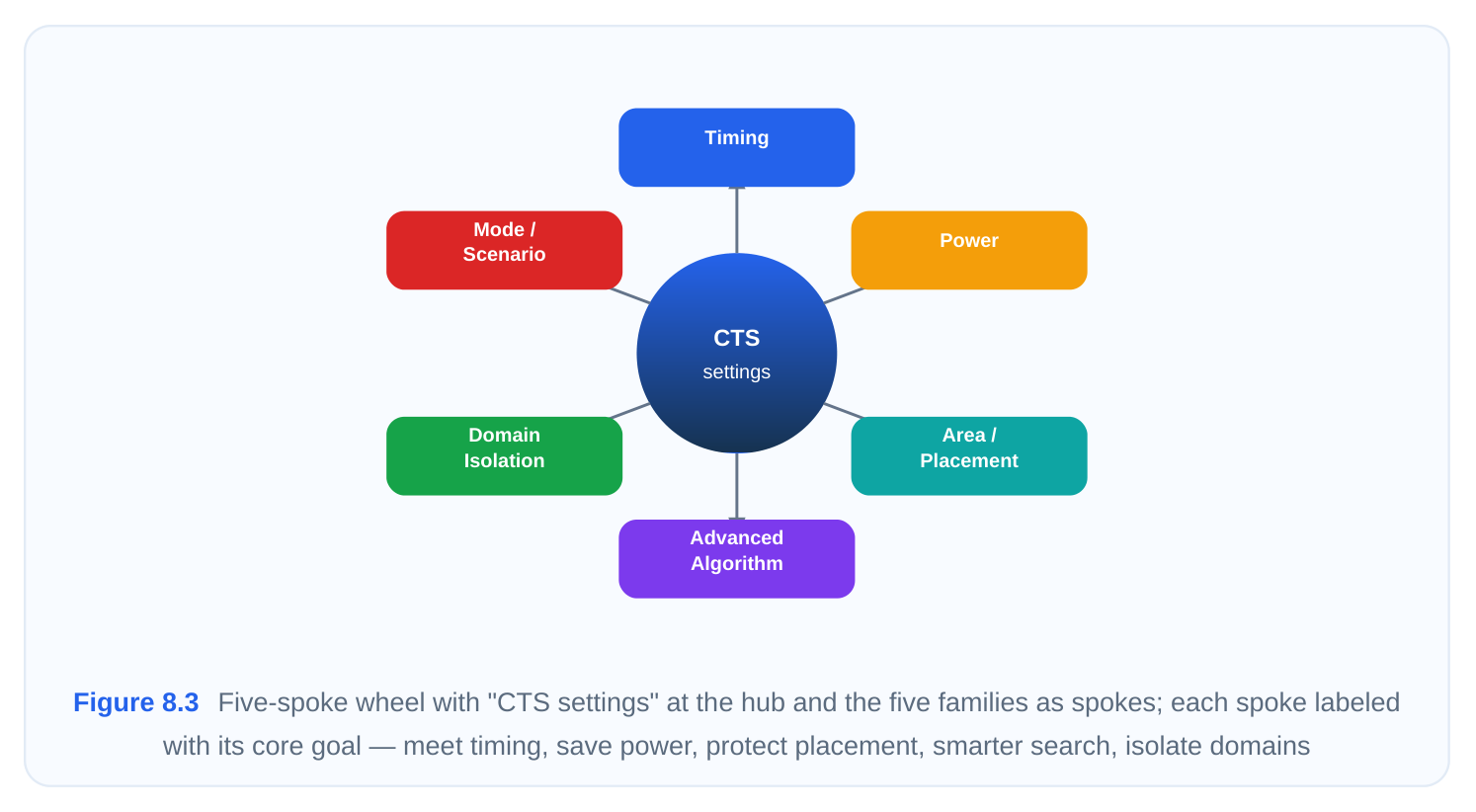
The set_clock_tree_options reference has dozens of switches, and staring at the alphabetical list is a poor way to learn them. A far better approach is to group them into families by intent — what prob‐ lem each one is trying to solve. Once you know which family addresses your current pain, you can drill into the handful of options inside it. This subsection is that orientation map; the exhaustive per-option reference comes later in the handbook. There are five families worth carrying in your head.
Timing optimization options
This is the family that exists to make the tree meet timing — primarily by controlling skew, latency, and signal integrity along the clock path. When your problem is "the clock arrives at different sinks at noticeably different times" or "the clock edges are too slow and rounded," you are in this family. Typical levers: -target_skew (how tightly to balance arrival times), -target_latency (whether to aim for a specific insertion delay, useful for inter-block budgeting), -max_transition (slew ceiling, which guards setup/hold margin and reduces jitter sensitivity), and -max_capacitance (load ceiling that indirectly bounds delay). You reach for this family first on any timing-critical clock, and especially when post-CTS timing reports show clock skew eating into your slack.
Power optimization options
Clock networks are notorious power hogs — they switch every cycle, drive enormous fanout, and often account for a large slice of dynamic power. This family trades a little timing margin for fewer/smaller buffers, clock gating awareness, and lower switching energy. When your problem is "the clock tree is burning too much dynamic power" or "I have too many buffers," this is your family. Typical levers: options that bias the tool toward higher fanout per buffer (fewer buffers overall), preferences for low-power buffer cells, settings that respect and preserve clock-gating cells (ICGs) so gated branches actually stay quiet, and controls that discourage over-buffering. You reach for this family on power-sensitive designs, low-activity clocks, and any clock where the skew budget is loose enough to spend on power savings.
Area and placement optimization options
This family governs the physical footprint and placement behavior of the clock-tree cells — how buffers are sited, how much they are allowed to perturb existing placement, and how the tree interacts with congestion. When your problem is "CTS is wrecking my placement legality" or "buffer insertion is creating congestion hot-spots," look here. Typical levers: density and blockage-aware placement controls, limits on how far the engine may displace existing cells, sink-clustering behavior, and options that keep clock buffers out of congested regions. You reach for this family on dense, placement-tight blocks and when CTS-induced congestion is hurting routability.
Advanced algorithm options
These are the engine-behavior knobs — they change how the synthesis algorithm searches for a solution rather than what the solution must satisfy. This family includes effort levels, the choice of tree topology (conventional buffered tree vs. mesh/H-tree assist), useful-skew enablement, concurrent clock-and-data optimization hooks, and multi-corner/multi-mode (MCMM) balancing behavior. When your problem is "the default flow gets close but I need the tool to try harder or use a smarter strategy," this is your family. Typical levers: effort/quality-vs-runtime trade-offs, useful-skew (deliberate, beneficial skew to borrow time across pipeline stages), topology selection, and corner-set configuration for robust balancing. You reach for this family when standard timing/power tuning has plateaued and you need a structurally different approach.
Clock-domain isolation options
This family keeps distinct clock domains from contaminating one another — preventing buffers, routing tracks, or balancing decisions from one domain bleeding into another, and ensuring asynchron‐ ous domains are not erroneously balanced against each other. When your problem is "two unrelated clocks are sharing tree resources" or "the tool is trying to balance clocks that should be independent," this is your family. Typical levers: per-domain buffer/cell allocation, skew-group definitions that say "balance within this set but not across sets," and exclusion controls that wall off one domain's tree from another's. You reach for this family in multi-clock SoCs, designs with many asynchronous interfaces, and any case where clock isolation is a power, noise, or correctness requirement.
The strategic decision map
The fastest way to use these families in practice is to start from the symptom you observe and jump straight to the right family. The table below is the orientation tool to keep beside you during signoff de‐ bug.
| Reach for this | Trade-off you are ac‐ | ||
|---|---|---|---|
| If your problem / goal is… | Representative options | ||
| family | cepting | ||
| Clock skew is eating timing | Timing optimiz‐ | -target_skew , -tar‐ | More buffers, more |
| slack | ation | get_latency | power |
| Clock edges too slow / high | Timing optimiz‐ | -max_transition , -max_capa‐ | Larger drivers, more |
| jitter sensitivity | ation | citance | area |
| Clock tree dynamic power | Power optimiz‐ | high-fanout bias, low-power cell | Looser skew, higher |
| too high | ation | lists, ICG preservation | latency |
| Too many buffers / over- | Power & area | -max_fanout , low-power buffer | Worse transition, pos‐ |
| buffering | preference | sible skew hit | |
| CTS breaking placement / | Area & place‐ | density/blockage-aware placement, | Possibly worse skew |
| causing congestion | ment | displacement limits | or latency |
| Default result is "almost | Advanced al‐ | effort level, useful-skew, topology | Longer runtime, more |
| there" | gorithm | choice | complexity |
| Need time borrowing | Advanced al‐ | useful-skew enablement | Harder hold closure, |
| across pipeline | gorithm | more analysis | |
| Domains sharing tree re‐ | Clock-domain | skew groups, per-domain alloca‐ | More buffers, less re‐ |
| sources incorrectly | isolation | tion | source sharing |
| Async clocks being bal‐ | Clock-domain | exclusion / skew-group separation | Manual setup effort |
| anced together | isolation |
Two themes run through every row. First, almost every setting is a trade-off — pulling skew tighter spends power and area; saving power loosens skew; protecting placement may cost latency. There is no globally optimal configuration, only the configuration that best fits this clock's priorities. Second, the families are not airtight. Power and area frequently overlap (fewer buffers helps both); advancedalgorithm options like useful-skew live at the seam between timing and algorithm. Treat the families as a navigation aid, not a rigid taxonomy.
Worked example: assembling a configuration by family
Putting it together, a realistic configuration for a mixed design reads almost like a checklist down the families — global baseline first, then per-clock refinements:
# --- Family 1 & 2: timing + power baseline (global) ---
set_clock_tree_options \
-target_skew 0.054 \
-max_transition 0.125 \
-max_capacitance 0.165 \
-max_fanout 28 \
-buffer_list {CKBUFX4 CKBUFX8 CKBUFX16} \
-inverter_list {CKINVX4 CKINVX8 CKINVX16}
# --- Family 1: tighten timing on the critical clock ---
set_clock_tree_options \
-clocks {cpu_clk} \
-target_skew 0.022 \
-max_transition 0.080
# --- Family 2: favor power on a low-activity clock ---
set_clock_tree_options \
-clocks {i2c_clk} \
-target_skew 0.135 \
-max_fanout 44
# verify before committing runtime
report_clock_tree_options
The structure tells the story: a sensible global policy that leans slightly toward power (modest skew, generous fanout), a per-clock timing override where precision matters, and a per-clock power override
where it does not. Everything else — capacitance ceiling, inverter list — is inherited, exactly as the precedence rules dictate. When you later need to attack congestion or isolate domains, you simply add calls from the corresponding family without disturbing what already works.
Interview Q&A
target_skew , what happens to the other options for that clock? They are inherited from the global call. Per-clock overrides operate at the option level, not the clock level — the per-clock command re‐ places only the options it explicitly names (here, -target_skew ), and every other option (buffer list, max transition, max capacitance, etc.) keeps its global value. A common misconception is that a perclock call resets everything to defaults; it does not.
but the final tree shows a 36 ps target. What's the likely cause? Almost certainly a later call in the script chain re-specified -target_skew for cpu_clk (or for a group that includes it), and "last write wins" for repeated options on the same scope. Sourced sub-scripts are the usual culprit. Debug by grepping the entire script chain for every call touching that option and that clock, and confirm with the reporting command what the tool actually resolved to.
specificity-based precedence, no — a per-clock setting beats a global setting for the options it names regardless of which block appears first. Order only matters for the separate "duplicate call, last write wins" rule, which applies when two calls target the same scope and the same option. So global-vs-perclock is decided by specificity; per-clock-vs-per-clock (same clock) is decided by order.
family do you touch, and what's the trade-off? The power optimization family. You bias toward high‐ er fanout per buffer (fewer buffers), prefer low-power buffer cells, and make sure clock-gating cells are preserved so gated branches stay quiet. The trade-off is timing quality: you are accepting looser skew and likely higher insertion delay/latency in exchange for fewer switching nodes. Because the skew budget is loose, that trade is exactly the kind this family is designed for — you are spending margin you don't need on power you do need to save.
Key Takeaways
set_clock_tree_optionsis the central, additive, stateful command for CTS configuration; master‐ ing its scoping and precedence covers most of clock-tree tuning.- Omitting
-clockssets a global default for all clocks; adding-clocksscopes settings to the named clocks only. - Precedence is per-option, not per-clock: a per-clock call overrides only the options it names and inherits the rest from global; unnamed options are never reset.
- For repeated calls on the same scope, last write wins — a frequent and hard-to-spot source of "my setting isn't applying" bugs hiding in sourced sub-scripts.
- The options sort into five intent-based families — timing, power, area/placement, advanced al‐ gorithm, and clock-domain isolation — and you navigate by symptom: match your problem to a family, then drill into its options.
- Nearly every setting is a trade-off (tighter skew costs power and area; power savings loosen skew), so the right configuration is the one matched to each clock's priorities, not a single universal recipe.
Comments
Leave a Reply