 ChipBuddy
← Home
ChipBuddy
← Home
Cleaning Up Routed Nets & Analyzing Results
Chapter 18 — Cleaning Up Routed Nets & Analyzing Results
By the time you reach this chapter, the router has done the heavy lifting: global routing, track assignment, detailed routing, and several rounds of postroute optimization. What remains is the part that separates a block that looks done from a block that is done. This chapter is about two intertwined disciplines — surgically cleaning up the routing database, and rigorously analyzing what the router actually produced so you can prove the block is ready to hand off. Think of it as the difference between "the tool reports zero DRC" and "I can stand in front of a sign-off review and defend every number." The commands here are the ones you reach for in the last mile, and they are also the ones interviewers love to probe, because they reveal whether you understand why a route looks the way it does, not just which button starts the router.
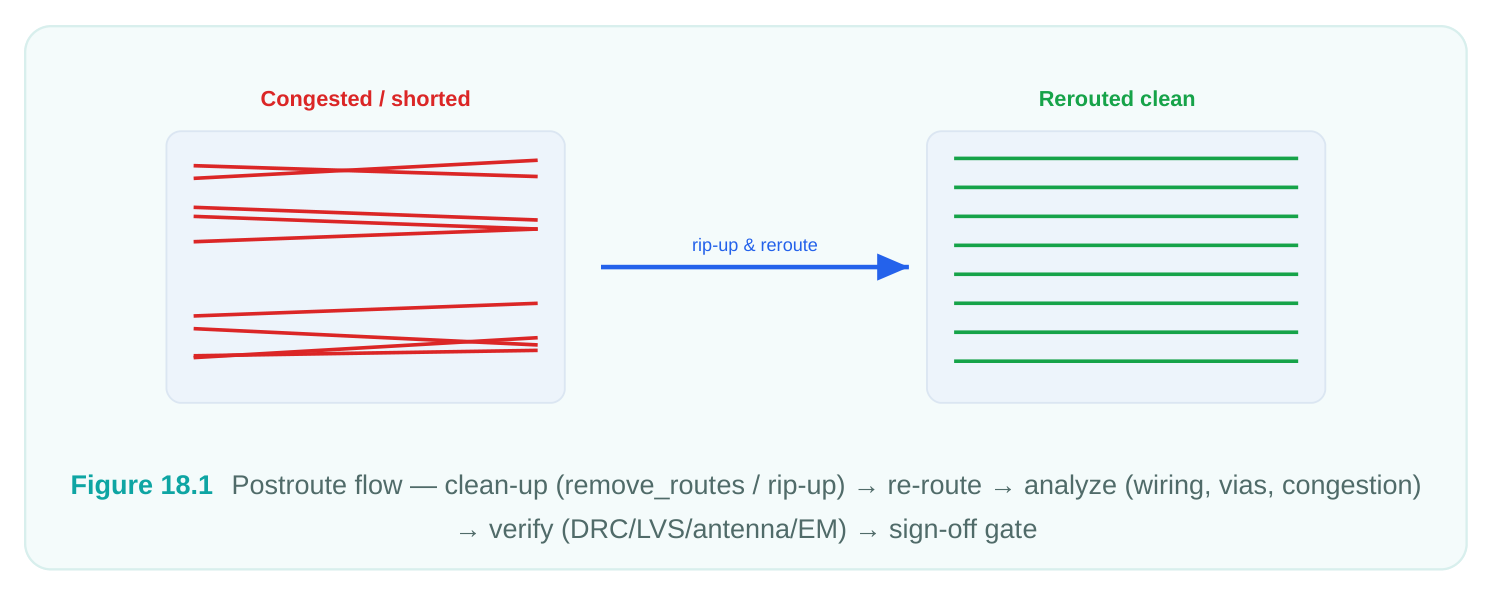
18.1 Why You Clean Up Routed Nets
A freshly routed database is rarely pristine. Engineering change orders (ECOs) leave stubs behind, incremental routing creates redundant overlap, and aborted optimization passes can strand fragments of metal that connect to nothing. Leaving this debris in place causes three concrete problems:
- DRC noise — dangling wires and redundant shapes trigger spacing, minimum-area, and floating- metal violations that mask the real errors you care about.
- Antenna and reliability risk — a floating shape attached to a gate during manufacturing can act as an unintended antenna or a latent reliability hazard.
- Extraction and timing inaccuracy — redundant geometry inflates capacitance, so your RC numbers no longer reflect the design you intend to tape out. Cleanup is therefore not cosmetic. It is a prerequisite for trustworthy analysis. The golden rule: always
clean before you analyze, and always re-analyze after you clean.
CATEGORIES OF "DIRTY" ROUTING
| Category | What it looks like | Typical cause | Cleanup action |
|---|---|---|---|
| Stale full routes | Net fully routed but | ECO, netlist swap logically changed | remove_routes on the net, then reroute |
| Problem / DRC- | Net with persistent | Congestion, bad | Rip up, then route_net_group / |
| heavy nets | shorts or spacing fails | track plan | eco_route |
| Dangling shapes | Wire/via reaching nothing | Aborted opt, partial ECO | remove_routes - floating_shapes |
| Redundant | Overlapping parallel | Incremental | remove_redundant_shapes style |
| geometry | segments | rerouting | cleanup |
| Open / partial | Net partly routed, gap nets | Router gave up remains | Re-route the unrouted portion only under DRC |
18.2 Removing Routes With remove_routes
The workhorse for cleanup is remove_routes . Its power lies in its filters — you almost never want to nuke the entire database, you want to remove a specific class of metal so you can reroute it cleanly.
# Remove all signal routing on a single problem net (keep the net, drop the metal)
remove_routes -net_type signal \
-nets {data_bus[7]} \
-detail_route true \
-global_route true
# Strip routing on a list of nets you intend to reroute as a group
remove_routes -nets [get_nets {alu/carry* alu/sum*}] \
-detail_route true
# Remove only the detailed routing but preserve global routes (guides) for reroute
remove_routes -nets {clk_div_out} \
-detail_route true \
-global_route false
A few practical notes that interviewers reward:
- Keeping
-global_route true falsewhile removing detail routing preserves the global guides, which makes the subsequent reroute faster and more deterministic — the router does not have to re-plan topology from scratch. - Distinguish signal, clock, power/ground, and shielding route types. You almost never want
remove_routesto touch your power grid or your carefully balanced clock tree; scope the command with-net_typeso a careless wildcard does not delete the PG mesh. - After removal, the net becomes unrouted (or partially routed). Confirm with a quick
report_design-physicalstyle status or a connectivity check before you reroute.
RIPPING UP PROBLEM NETS
"Rip-up and reroute" is the classic congestion-relief move. When a handful of nets refuse to close DRC because they are fighting over the same scarce tracks, the fix is to remove them, let the router clear the area, and reroute them — often with elevated effort or as a dedicated group.
# Identify the worst offenders, then rip and reroute as a focused group
set bad_nets [get_nets -filter "number_of_drc_violations > 0"]
remove_routes -nets $bad_nets -detail_route true
route_net_group -nets $bad_nets -reuse_existing_global_route false
# Or push a focused ECO route at higher effort on just those nets
eco_route -nets $bad_nets -open_net_driven true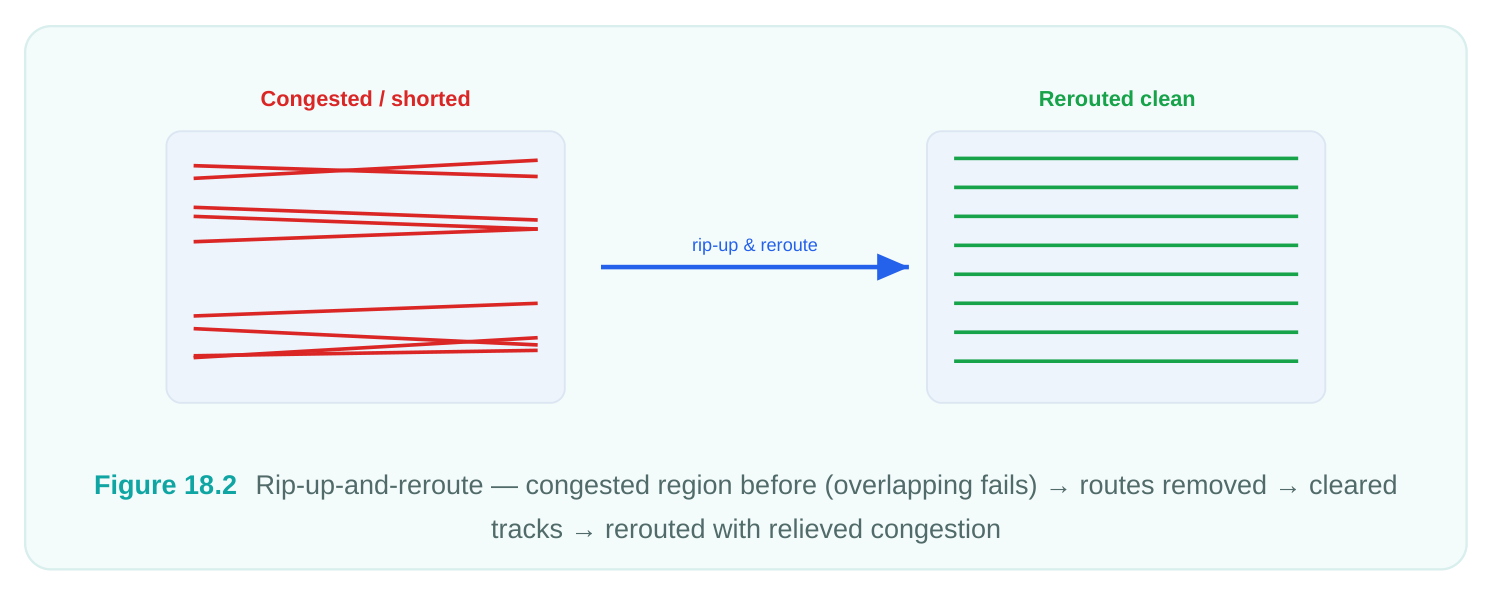
A judgment call worth making explicit: how many nets should you rip up at once? Removing too few leaves the area just as congested when the router tries again, and the same nets fail in the same spot. Removing too many wastes runtime re-solving topology that was already fine. The pragmatic approach is to scope the rip-up to the cluster of nets physically sharing the contested region — not every net in the design that happens to have a violation. Pair that with a local effort increase rather than a global one, so you pay the runtime cost only where it buys you something. If two consecutive rip-up-andreroute passes do not converge, stop iterating on the router and look upstream: the track plan, the placement density, or the floorplan is the real constraint, and no amount of rerouting will manufacture tracks that do not exist.
18.3 Floating, Dangling, and Redundant Geometry
Three closely related defects, three slightly different fixes.
| Defect | Definition | Risk | Command intent |
|---|---|---|---|
| Floating | Metal/via connected to | Antenna, false DRC, | remove_routes - |
| shape | nothing on either end | extraction error | floating_shapes true |
| Dangling wire | Wire connected at one | Open net, antenna end, open at the other | remove_routes -dangling_wires true (then reroute) |
| Redundant | Duplicate/overlapping shape | Inflated C, min-area metal on same net | redundant-shape cleanup pass noise |
# Sweep the whole block for floating and dangling metal
remove_routes -floating_shapes true \
-dangling_wires true
# Remove redundant overlapping geometry created by incremental routing
remove_redundant_shapes -nets [all_routed_nets]
# Verify connectivity is still intact afterward
check_routes
The check_routes (or equivalent connectivity check) command is your safety net. It reports opens, shorts, unconnected pins, and antenna issues introduced by — or exposed by — your cleanup. Run it immediately after any removal so you never carry a freshly-created open into analysis. A subtle trap: removing a dangling wire can convert a "messy but connected" net into a clean open. That is the correct behavior — the wire was never reaching its load — but it means you must reroute the net, not just delete the stub. Treat dangling-wire removal and reroute as a single atomic operation in your scripts.
18.4 Analyzing Routing Results
With the database clean, you switch hats from surgeon to auditor. There are three quantitative views every router engineer should be able to produce and interpret on demand: wiring statistics, via statistics, and layer utilization. Together they tell you whether the route is efficient, manufacturable, and balanced across the stack.
FINAL WIRING STATISTICS
Wire length per layer is the single most informative routing summary. It tells you how the router distributed metal across the stack and whether any layer is overloaded.
# Total and per-layer wire length, plus net counts
report_wire_length -by_layer -nets [all_routed_nets]
# Net-level breakdown for the longest nets (useful for timing/SI suspects)
report_wire_length -sort_by length -nets [all_routed_nets] -nworst 20
A representative per-layer summary looks like this:
| Layer | Direction | Wire length (mm) | % of total | Notes |
|---|---|---|---|---|
| M1 | Horiz | 12.4 | 4% | Mostly pin access |
| M2 | Vert | 88.7 | 26% | Heavy short-net layer |
| M3 | Horiz | 95.2 | 26% | Primary routing layer |
| M4 | Vert | 61.0 | 17% | Healthy |
| M5 | Horiz | 38.3 | 12% | Longer nets |
| M6 | Vert | 18.1 | 6% | Few long routes |
| M7+ | — | 3.6 | 1% | Clock/PG spines |
What you read from this: M2/M3 carry the bulk of short-net routing as expected; if M1 were carrying double-digit percentages of signal length, you would suspect pin-access congestion or a layer the router is overusing because the upper stack is blocked. A wildly skewed distribution is a red flag worth chasing before sign-off.
FINAL VIA STATISTICS
Vias are where yield goes to die, so via analysis matters as much as wire length. Two numbers dominate: total via count by cut layer, and the redundant-via (double-cut) rate — the fraction of vias that have been replaced by redundant/multi-cut vias for reliability.
# Via counts by via-layer (cut layer)
report_vias -by_layer
# Redundant via insertion summary — the key reliability metric
report_redundant_vias| Via layer | Total vias | Redundant (multi-cut) | Redundant rate | Status |
|---|---|---|---|---|
| VIA1 | 42,180 | 39,800 | 94.4% | Good |
| VIA2 | 38,910 | 37,100 | 95.4% | Good |
| VIA3 | 21,340 | 19,200 | 90.0% | Acceptable |
| VIA4 | 9,870 | 8,100 | 82.1% | Watch |
| VIA5 | 3,210 | 2,400 | 74.8% | Investigate congestion |
The pattern to expect: redundant-via rate naturally drops as you go up the stack, because upper layers are sparser and there is less room to drop a second cut. A target of roughly 88%+ on lower layers is typical; a sudden dip on a layer where you expected high coverage usually points to congestion that prevented redundant-via insertion. That is actionable — it tells you where to relieve density.
LAYER UTILIZATION
Utilization expresses how much of each layer's available track capacity is consumed. It is the bridge between "how much metal did I use" and "how much room is left."
# Track / GRC utilization per layer
report_design -utilization -by_layer
# Or congestion-oriented utilization view (see next section)
report_congestion -by_layer
A layer above ~82–88% utilization is effectively full and is the prime suspect for any residual DRC or congestion. Low utilization on the upper layers while lower layers are saturated suggests the router is not promoting long nets upward — a layer-promotion or NDR-tuning opportunity. One more habit worth building: snapshot these three reports — wiring, vias, utilization — before and after any significant cleanup or reroute, and diff them. The deltas are far more informative than the absolute numbers. A reroute that drops total wire length by 3% while holding via count flat is a clean win. A reroute that shaves wire length but doubles via count on VIA4 has quietly traded EM margin and yield for a cosmetic length number, and you want to catch that trade deliberately rather than discover it in EM analysis later. Treat the report trio as a regression check on your own edits, not just a one-time end-of-flow summary.
18.5 Congestion Maps and Reports
Congestion is the lens through which most routing problems become visible. After detailed routing, the relevant question is no longer "will it route" (it did) but "how close to the edge did it get, and where." Two artifacts answer this: the visual congestion map in the GUI, and the textual congestion report.
# Generate and display the global-route congestion map
report_congestion -grc_based -routing_stage global
# Detailed-route congestion with per-layer overflow
report_congestion -by_layer -routing_stage detail
# Dump a congestion report to file for the sign-off package
report_congestion -by_layer > reports/route/congestion.rpt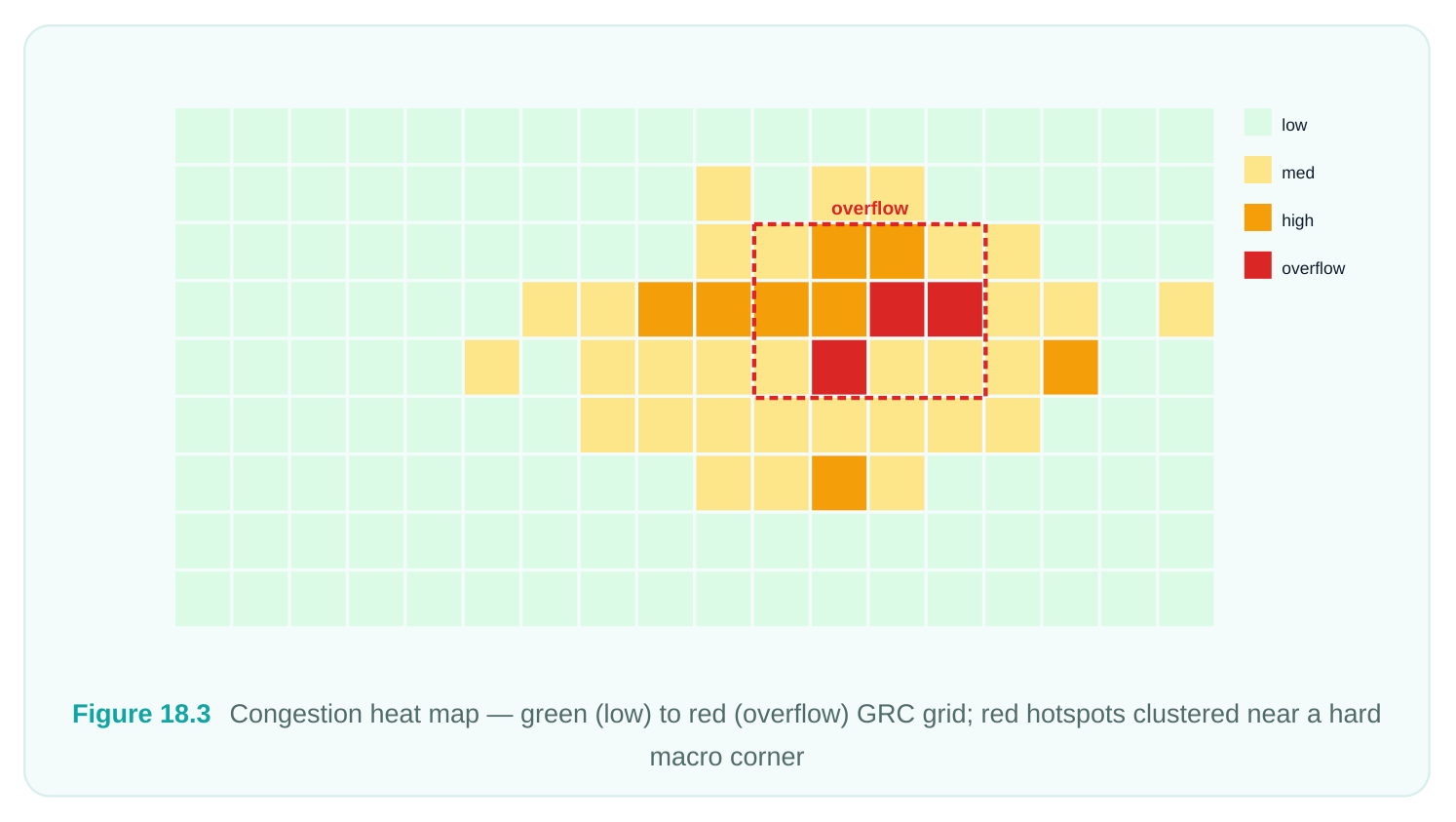
READING OVERFLOW BY LAYER
A congestion report is organized around GRCs (global routing cells) and overflow — the amount by which demand for tracks exceeds supply in a cell. The headline number is the count and percentage of overflowing GRCs.
| Layer | Total GRCs | Overflow GRCs | Overflow % | Max overflow | Verdict |
|---|---|---|---|---|---|
| M2 | 124,000 | 38 | 0.03% | 2 | Acceptable |
| M3 | 124,000 | 51 | 0.04% | 3 | Acceptable |
| M4 | 124,000 | 410 | 0.33% | 6 | Watch |
| M5 | 124,000 | 1,290 | 1.04% | 11 | Investigate |
| M6 | 124,000 | 22 | 0.02% | 2 | Acceptable |
How to interpret this in an interview answer: overflow concentrated on one or two adjacent layers in a localized region usually means a spot problem — a macro corner, a pin-dense block, a clustered congestion hot zone — fixable with rip-up/reroute, local NDR relaxation, or a small placement nudge. Overflow spread thinly across all layers means the block is genuinely over-utilized and the real fix is upstream: floorplan, placement density, or even die size. Knowing which story your overflow numbers tell is the whole skill. A practical threshold many teams use: global overflow should trend to zero, and any residual detailed-route overflow should be both small in magnitude and isolated. A single GRC with overflow of 2 in a sea of green is noise; thousands of cells with overflow is a schedule risk.
18.6 Verification After Routing — The Sign-Off Gate
Cleanup and analysis tell you the route is probably good. Verification proves it. Postroute verification is the gate every block must pass before it leaves your hands, and it has four pillars: DRC/LVS, antenna, EM/IR, and timing/SI. Skipping any one of them is how a block that "looked clean" comes back from the foundry as silicon you cannot ship.
| Check | What it proves | Primary command intent | Pass criterion |
|---|---|---|---|
| DRC | Geometry obeys foundry | check_routes , signoff DRC (e.g. rules | Zero violations (or waived) signoff_drc ) |
| LVS | Layout matches | check_lvs / signoff LVS schematic | Clean, no opens/shorts/ mismatches |
| Antenna | Gates protected during fab | check_routes antenna / antenna report | All antenna ratios within limit |
| EM/IR | Wires/vias survive | check_em / IR-drop analysis current density | Within current & IR-drop budgets |
| Timing/ | Setup/hold + crosstalk SI | report_timing , report_si met | All paths meet, no SI failures |
# 1. Connectivity + geometry + antenna in one connectivity-aware pass
check_routes
# 2. Signoff-grade physical verification
signoff_drc -open_drc_error_db drc.err
signoff_check_drc
# 3. EM and self-heat checks on signal and PG nets
check_em -nets [all_routed_nets]
# 4. Final timing and SI with postroute (real) parasitics
report_timing -delay_type max -nworst 20
report_timing -delay_type min -nworst 20
report_si
WHY EACH PILLAR MATTERS
- DRC/LVS is the foundry's pass/fail. LVS opens and shorts are the existential failures — a short between two nets is a dead die. Run LVS even when DRC is clean, because cleanup operations can introduce connectivity errors that DRC alone will not catch.
- Antenna violations come from long metal on a single layer connected to a gate before the upper- layer connection completes. Fixes include diode insertion, layer hopping (jumper to a higher layer), or breaking the net across layers. Re-verify after every fix — antenna repair on one net can shift another.
- EM/IR ensures wires and vias carry their current without electromigration failure over the product lifetime. This is where your redundant-via rate pays off: multi-cut vias spread current and dramatically improve EM margin. A low redundant-via rate on a high-current net is a direct EM risk.
- Timing/SI must be re-confirmed with postroute parasitics, not the estimates you optimized against earlier. Crosstalk (SI) only becomes real once detailed routing fixes neighbor spacing, so this is the first point you can fully trust your delay and noise numbers. The discipline that ties this together: verification is iterative. Every fix invalidates the previous clean result, so you loop — fix, re-verify, repeat — until a single run comes back clean across all four pillars simultaneously. A block is not signed off because each check passed once; it is signed off because they all passed together on the final database.
18.7 Routing Sign-Off Checklist
This is the list to run down before you declare a block done. If you cannot tick every box, the block is not ready — and being able to recite this checklist is exactly what an interviewer is listening for.
- [ ] DRC-clean — signoff DRC reports zero real violations; every waiver is documented and approved.
- [ ] LVS-clean — no opens, no shorts, no device/connectivity mismatches against the schematic.
- [ ] No floating / dangling metal —
check_routesreports no floating shapes or dangling wires. - [ ] Antenna fixed — all antenna ratios within process limits; diodes/jumpers placed and re-verified.
- [ ] EM/IR clean — no current-density or IR-drop violations on signal or PG nets.
- [ ] Timing met — setup and hold close with postroute parasitics across all corners/modes.
- [ ] SI/crosstalk clean — no noise-induced functional or delta-delay failures.
- [ ] Congestion acceptable — global overflow ~zero; residual detail overflow small and isolated.
- [ ] Redundant-via rate healthy — meets target (commonly ~88%+ on lower layers); low-rate layers explained.
- [ ] Wire/via stats sane — per-layer distribution balanced; no unexpected layer overload.
- [ ] Reports archived — congestion, wiring, via, DRC, and timing reports saved to the sign-off package.
18.8 Consolidated Command Quick-Reference (Whole Routing Flow)
A single table you can map the entire flow onto. Exact option names vary by tool version, but the intent and sequence are what you must own.
| Stage | Purpose | Representative command |
|---|---|---|
| Setup | Routing rules, NDRs, | apply_routing_rule , set_tool_option route.* |
options
Global route Plan topology, find global_route , report_congestion -grc_based
| Track assign | Assign nets to tracks | assign_tracks |
|---|---|---|
| Detail route | Real geometry, close DRC | detail_route |
| Auto (all-in-one) | Global→track→detail in | auto_route |
one
| Group route | Route a focused net set | route_net_group |
|---|---|---|
| ECO route | Incremental / open-net | eco_route |
route
| Postroute opt | Fix timing/DRC/SI | postroute_opt |
|---|---|---|
| Remove routes | Strip metal for reroute | remove_routes |
| Cleanup | Floating/dangling/ redundant | remove_routes -floating_shapes , remove_redundant_shapes |
| Connectivity | Opens/shorts/antenna | check_routes |
check
| Wiring stats | Length by layer/net | report_wire_length -by_layer |
|---|---|---|
| Via stats | Counts + redundant rate | report_vias , report_redundant_vias |
| Congestion | Map + overflow report | report_congestion -by_layer |
| Utilization | Track usage by layer | report_design -utilization |
| Signoff DRC | Foundry geometry check | signoff_check_drc |
| LVS | Layout vs schematic | check_lvs |
| EM/IR | Reliability | check_em |
| Timing/SI | Final timing closure | report_timing , report_si |
# A compact end-of-flow "prove it's done" script
remove_routes -floating_shapes true -dangling_wires true
remove_redundant_shapes -nets [all_routed_nets]
check_routes
report_wire_length -by_layer > reports/route/wirelength.rpt
report_vias -by_layer > reports/route/vias.rpt
report_redundant_vias > reports/route/redundant_vias.rpt
report_congestion -by_layer > reports/route/congestion.rpt
signoff_check_drc
check_em -nets [all_routed_nets]
report_timing -delay_type max -nworst 20
report_si
Interview Q&A
happened? A cleanup command — most likely remove_routes -dangling_wires — removed a wire that was the only connection to a load. DRC stays clean because the remaining geometry is legal, but the net is now physically open. The fix is to reroute the affected net; the lesson is to always run
check_routes /LVS immediately after any removal so an open never survives into sign-off.you? Upper layers are sparser and have wider pitches, so there is less physical room to drop a second cut next to the primary via — a naturally lower rate is expected. It worries you when a layer you expected to be high suddenly dips, because that usually signals local congestion blocking redundant-via insertion, which is an EM-reliability risk on high-current nets.
it or not? Look at where and how much. If those cells are clustered in one region with small per-cell overflow, it is a localized hot spot you can rip-up/reroute or relieve with a placement nudge — likely shippable after a targeted fix. If they are spread across the layer, it is genuine over-utilization that points upstream to placement or floorplan, and you should not ship until it is addressed.
matter for antenna? A floating shape connects to nothing on either end; a dangling wire connects at one end and is open at the other. Both are antenna risks, but the dangling wire is more insidious because it is attached to a real net (and possibly a gate) during fabrication, so it can accumulate charge on that gate. Removing floating shapes is usually safe; removing dangling wires creates an open you must reroute.
optimization? Earlier passes optimize against estimated RC. Crosstalk and final coupling capacitance are only real once detailed routing has fixed actual neighbor spacing and metal geometry. SI delta-
delay and noise can only be trusted at this stage, and a path that met timing on estimates can fail once real coupling is extracted — so postroute timing/SI is the only result you sign off against.
Key Takeaways
- Clean before you analyze, re-analyze after you clean. Cleanup (
remove_routes, floating/ dangling/redundant removal) is a prerequisite for trustworthy stats and verification, not an afterthought. - Scope
remove_routescarefully. Use-net_typeand-detail_route/-global_routefilters so you strip exactly the metal you mean to reroute — never the PG mesh or a balanced clock tree. - Three analysis views tell the story: wire length by layer (efficiency/balance), via counts plus redundant-via rate (reliability), and layer utilization/congestion (headroom). Skewed numbers are leads to chase.
- Read overflow geographically. Localized overflow = spot fix (rip-up/reroute); distributed overflow = upstream floorplan/placement problem.
- Sign-off is a four-pillar gate — DRC/LVS, antenna, EM/IR, timing/SI — that must all pass together on the final database. Every fix invalidates the last clean result, so verification is iterative.
- Own the checklist and the command quick-reference. Being able to recite the sign-off criteria and map every command to its stage is what demonstrates true command of the routing flow.
Comments
Leave a Reply