 ChipBuddy
← Home
ChipBuddy
← Home
Checking Routability
Checking Routability Before You Commit
Routing is the single most expensive step in the back-end flow, both in wall-clock time and in the patience of the engineer watching the log scroll by. A global-plus-detail route on a large block can consume hours of runtime, and the cruel irony is that the worst problems often announce themselves only at the very end, when the tool has already spent that time threading thousands of nets and then discovers that a handful of pins were never reachable in the first place. The router does not give up gracefully on an inaccessible pin; it thrashes, rips up neighbors, reroutes, and burns cycles trying to do something that was geometrically impossible from the start. This is why a mature flow inserts a deliberate checkpoint before the heavy lifting begins. Think of it as a pre-flight inspection. Pilots do not start the engines and then check whether the wings are attached; they walk the aircraft first. In the routing tool the equivalent walk-around is check_routability , a fast analysis pass that examines the design's pin access, via legality, blockage geometry, and net constraints, and reports the things that will trip up the router long before the router itself would. Catching these issues here turns a six-hour failed route into a ten-minute diagnostic, a placement tweak, and a clean run.
Routing Flow
| Global | Track | Detail | Postroute |
|---|---|---|---|
| Route | Assignment | Route | Opt |
Figure 6.1 Flow timeline showing place -> check_routability gate -> (fix loop) -> global route -> detail route, with
the gate catching a "blocked pin" defect before route
What "Routable" Actually Means
A net is routable when every one of its pins can be reached by a legal wire on a legal layer, and a legal sequence of vias can connect those wires together without violating spacing, enclosure, or blockage rules. That sounds obvious, but each clause hides a way to fail. A pin might sit under a routing blockage. A macro pin might be specified on a layer the design rules forbid for that direction. A via that the technology file promises exists might, in practice, be cut out by a real-metal blockage placed during floorplanning. Each of these makes a pin or a net unroutable, and check_routability exists to find them in bulk rather than one painful router iteration at a time. The command does not route anything. It performs geometric and rule-based reachability analysis: for each pin, can the access engine find at least one valid entry point given the surrounding pins, blockages, and design rules? For each net, are its constraints (non-default rules, layer restrictions, frozen-net status) internally consistent and satisfiable? The output is a categorized list of problems, which is far more useful than a binary pass/fail because it tells you what kind of fix each issue needs.
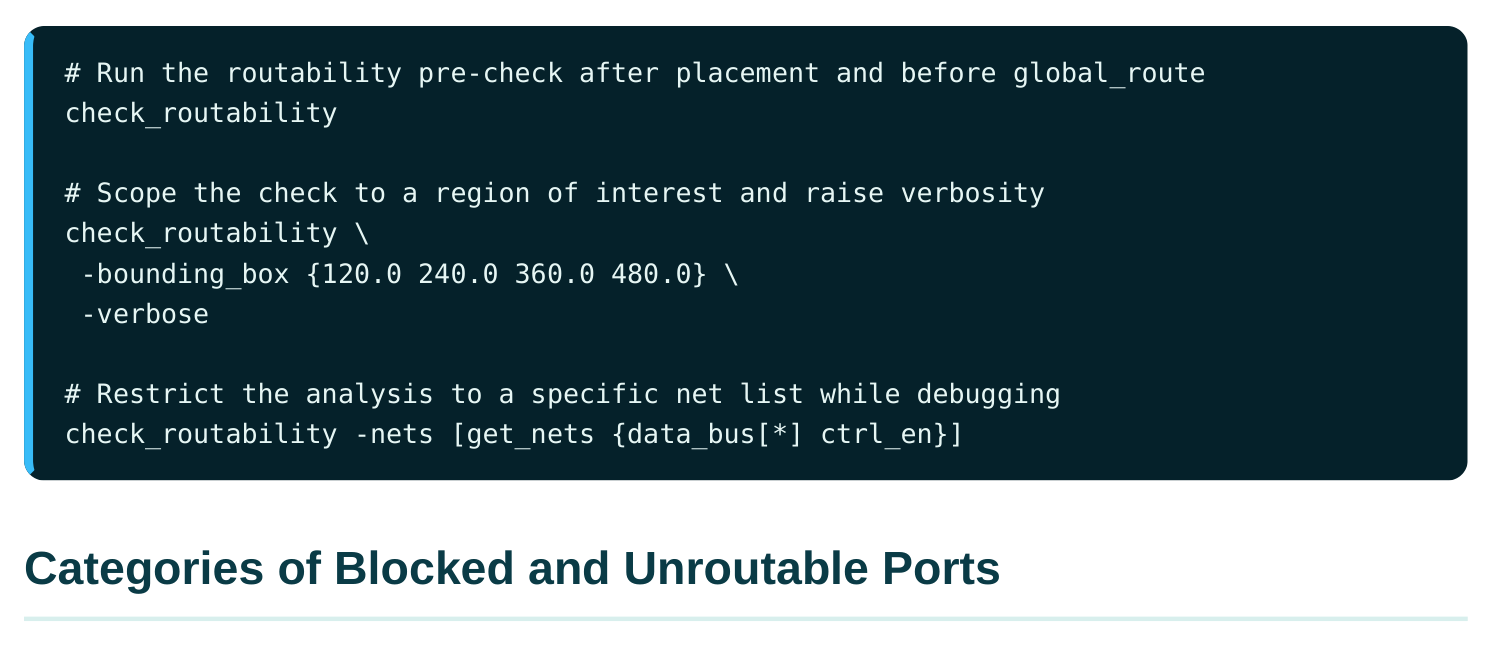
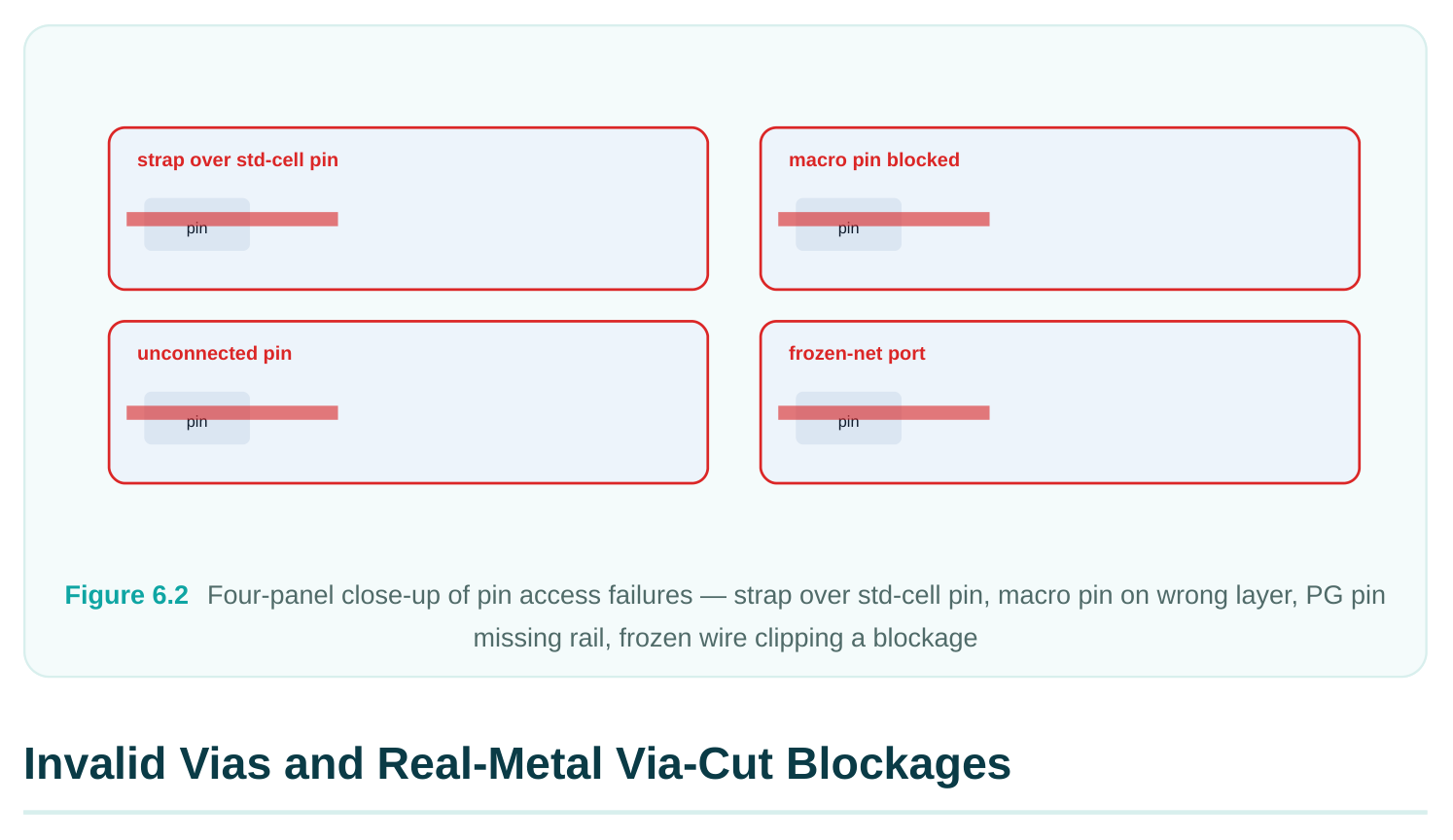
Most of what check_routability flags falls into a small number of recognizable buckets. Knowing the bucket tells you who is responsible for the fix, because access problems are rarely the router's fault; they trace back to the library, the floorplan, or an upstream constraint. Blocked standard-cell ports. These are pins on ordinary logic cells whose access geometry is obstructed. The usual culprit is a routing blockage, a power strap, or a neighboring cell's pin crowding
the access window on the lowest routing layers. On advanced nodes with restrictive pin-access rules this is the most common category, because the legal entry points to a tiny M1 or M2 pin are few, and losing even one to an overlapping blockage can leave the pin with zero valid access. Blocked top-level and macro ports. Block-level I/O ports and the pins of hard macros are larger and live on higher metal, but they fail differently. A macro pin specified on a layer that is unavailable in the surrounding channel, or a top-level port pushed into a corner where no track reaches it, will be reported here. Macro pin access is especially sensitive to the keepout and blockage rings that floorplanning places around the macro perimeter. Blocked power and ground ports. Special-net pins (VDD, VSS, and other supplies) need to reach the power grid, not the signal router, but they can still be reported as inaccessible if the cell's power pin does not align with or cannot reach a stripe or rail. A standard-cell row whose rails were not properly connected, or a macro whose power pins sit under a signal blockage, shows up here and will haunt you later as a PG connectivity violation. Blocked unconnected pins. Pins that the netlist leaves dangling, or that are tied off in a way the tool cannot resolve, may be flagged so you can confirm they are intentional. An unintentionally unconnected pin is a logic bug masquerading as a routability problem, and this category is your chance to catch it before it propagates. Blocked ports on frozen nets. When a net is marked as fixed or frozen (already routed and locked, perhaps a clock spine or a pre-routed bus), its pins are not supposed to move and its wires are not supposed to change. If the frozen geometry already conflicts with a blockage, or if a pin on that net
has no legal access given the frozen route, check_routability reports it. These are subtle because the tool cannot fix them by rerouting; the frozen net itself, or the blockage around it, must change.
| Category | Typical root cause | Who fixes it | First action |
|---|---|---|---|
| Blocked std-cell port | Blockage or strap over M1/M2 access window | Place/ floorplan | Move cell or trim blockage |
| Blocked macro/top | Pin on illegal layer; corner with no | Floorplan/ | Adjust keepout; relocate |
| port | track | library | port |
| Blocked PG port | Rail/stripe misalignment; pin under | PG/floorplan | Fix grid connection |
blockage
Blocked unconnected Dangling or unresolved tie-off RTL/netlist Confirm intent; fix logic
| Blocked frozen-net | Frozen route conflicts with blockage | Manual | Unfreeze or move |
|---|---|---|---|
| port | blockage |
A second class of problem has nothing to do with pins and everything to do with the vertical connections between layers. The router stitches metal layers together with vias drawn from a set of via definitions in the technology library. If a via definition is malformed, references a non-existent cut layer, or violates enclosure rules as instantiated, the router may be unable to transition between two layers at exactly the spot where it needs to. check_routability validates the via definitions in play and flags any that are invalid or unusable in the current context. The more insidious variant is the real-metal via-cut blockage. During floorplanning and power planning, engineers place blockages to keep the router out of certain regions. A blockage that covers a cut layer effectively forbids vias in that area. If such a blockage sits over a spot where the router has no choice but to change layers, say, directly above a pin that can only be accessed on M1 and must climb to M3 to escape, the pin becomes unroutable even though its M1 access looks fine in isolation. The pin access exists; the escape does not, because the via it needs has been blocked.
| Symptom | Likely cause | Diagnostic |
|---|---|---|
| Pin accessible but net | Via-cut blockage over the escape | Inspect cut-layer blockages above the |
| unroutable | via | pin |
| Layer transition fails in a | Invalid via definition for that layer region | Check via rules in the tech file pair |
| Sporadic DRC at vias post- | Enclosure violation in via def route | Validate via enclosure against design rules |
| Whole macro channel | Cut blockage spanning the unroutable | Re-scope PG/floorplan blockages channel |
# Report problematic vias and via-related blockages flagged by the check
check_routability -verbose
# Inspect via-cut blockages in a suspect region (e.g., above a macro pin)
get_routing_blockages -within {180.0 300.0 220.0 340.0}
# Confirm which via definitions are available and legal for a layer pair
report_via_defs -layers {M1 M2}
The fix depends on which variant you have. An invalid via definition is a library or tech-file problem and must be corrected at the source; you cannot route around a broken via rule. A via-cut blockage that is doing too much is a floorplan problem: shrink it, move it, or change it from a cut-layer blockage to a routing-layer-only blockage so the router can still drop vias where it needs them.
Congestion as an Early Routability Signal
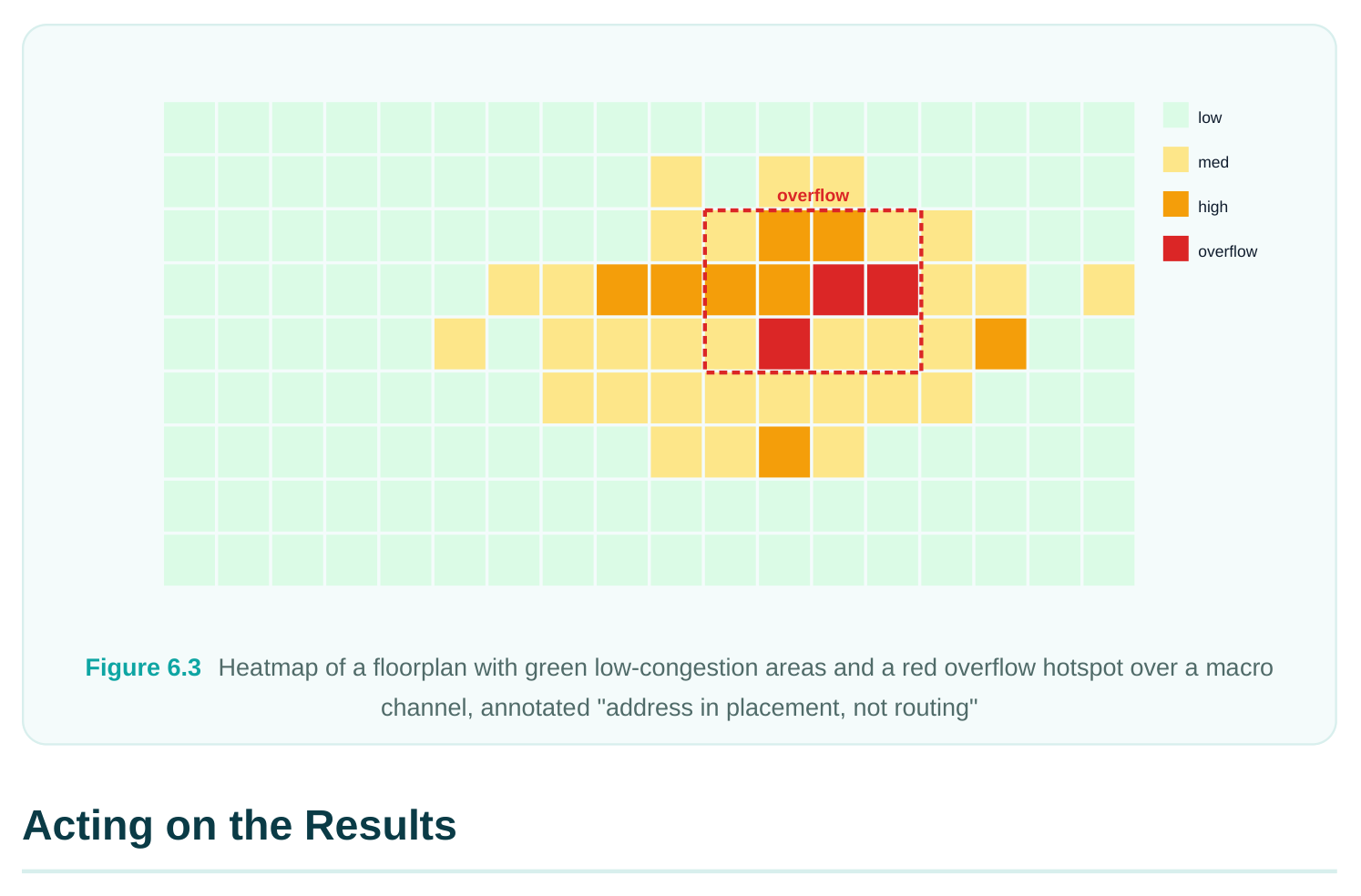
Routability is binary at the pin level (a pin is reachable or it is not), but at the global level the more useful question is whether there is enough room for all the wires that want to occupy a region. That is congestion, and while a full congestion analysis belongs to the global-route stage, you can and should read congestion early as an orientation signal. A design that shows severe congestion hotspots before routing even begins is telling you that placement has packed too much connectivity into too little track capacity, and no amount of router cleverness will conjure tracks that are not there. At this stage you are not trying to resolve congestion; you are trying to locate it and gauge its severity.
report_congestion after an early global-route estimate gives you the overflow picture: which global-routing cells (GRCs) demand more tracks than they have, and by how much. A few isolated cells with mild overflow are normal and the router will absorb them. A broad red region over a macro channel or a clustered datapath is a structural warning that you should address with placement or floorplan changes now, not with a doomed route later.
# Quick early congestion estimate (global route only, no detail)
global_route -effort low
# Summarize overflow and the worst hotspots
report_congestion -summary
# Drill into a specific region's per-layer overflow
report_congestion \
-bounding_box {200.0 200.0 400.0 400.0} \
-by_layer
The distinction worth holding onto: check_routability answers "can this be routed at all?" while
report_congestion answers "is there room to route it comfortably?" Both are early-warninginstruments, but they catch different failure modes. A pin with no access fails check_routability
regardless of how much open track surrounds it; a perfectly accessible region still fails the congestion test if forty nets want to cross a channel that fits thirty.
A clean diagnostic is only valuable if it changes what you do next. The right response depends entirely on the category, and the discipline is to fix the root cause rather than asking the router to compensate for it. For blocked access issues, the lever is usually placement or blockage geometry. If a standard-cell pin is buried under a power strap, either nudge the cell out from under the strap or trim the strap's blockage footprint where it is over-covering. If a macro pin sits on an illegal layer or in an unreachable corner, the floorplan keepouts or the macro placement itself must change. Many access failures cluster, so fixing one congested macro corner often clears a dozen reported pins at once. For via and via-cut problems, separate the library issues from the floorplan issues. Invalid via definitions go back to the technology team; there is no workaround in the design. Over-aggressive viacut blockages are yours to relax: convert them to routing-only blockages, shrink them, or carve a window directly above pins that need a vertical escape. For NDR feasibility, the routability check is the moment to confirm that non-default rules you have requested can actually be honored. A wide-and-spaced NDR for a critical bus needs extra tracks; if you have assigned a 2W-2S rule to a net running through a channel that barely fits default wires, the check (and the congestion report) will show you that the constraint is physically infeasible there. Better to discover this now and either relax the NDR, widen the channel, or reroute the net's path through a roomier region than to let the router fail repeatedly trying to satisfy an impossible rule.
# Verify an NDR is feasible on a critical net before committing
check_routability -nets [get_nets clk_root] -verbose
# Inspect the rule assigned to that net
get_attribute [get_nets clk_root] routing_rule
# If infeasible, relax to a lighter rule and re-check
apply_routing_rule -rule default_2w1s [get_nets clk_root]
check_routability -nets [get_nets clk_root]
The general loop is: run check_routability , triage the categories, fix the highest-leverage root causes (usually placement and blockages), re-run the check, and only proceed to full routing once the access report is clean and the early congestion picture is merely "busy" rather than "blocked." This loop is cheap. A full route is not. Spending twenty minutes here routinely saves hours downstream, and it converts the most demoralizing failure mode in the flow, a long route that ends in defeat, into a quick, legible, fixable diagnostic.
Interview Q&A
failures? Because the router is enormously expensive and fails late. It will spend hours threading nets before it discovers an inaccessible pin, and even then its log is harder to triage than a categorized routability report. check_routability performs fast geometric and rule-based reachability analysis without routing anything, so you learn about blocked pins, invalid vias, and infeasible constraints in minutes. It turns a multi-hour failed route into a short diagnostic-and-fix cycle, and it tells you the category of each problem, which points you straight at the responsible owner (library, floorplan, or constraint).
happening? The pin is accessible on its base layer but cannot escape to a higher layer because the via it needs has been blocked. A real-metal via-cut blockage placed during floorplanning or power planning can forbid vias directly above the pin, so even though the M1 access window is clear, the M1to-M2 (or higher) transition is illegal. Inspect the cut-layer blockages above the pin with
get_routing_blockages , and if a power-planning blockage is over-covering the cut layer, convert it toa routing-only blockage or shrink it so the router can drop the escape via.
early? check_routability answers a binary, per-pin question: can this pin be reached by a legal wire and via at all? It catches hard access failures regardless of surrounding open space.
report_congestion answers a capacity question: is there enough track room for all the nets thatwant to cross a region? A pin can be perfectly accessible yet sit in a region with severe overflow, and a region with plenty of room can still contain a pin that no legal via can escape. They catch orthogonal failure modes, so an early read of both gives you the full picture: structural access problems from the first, capacity warnings from the second.
What are your options? The NDR demands more track width and spacing than the net's path can supply, so it is physically infeasible in that channel. You have three levers. First, relax the rule, drop from a 2W-2S to a lighter rule if timing tolerates it. Second, widen the channel, change the floorplan or placement so the bus runs through a region with spare tracks. Third, reroute the path, guide the net through a roomier area where the wide rule fits. The point of catching it at the check stage is that you choose deliberately now, rather than letting the router thrash against an impossible constraint and fail.
Key Takeaways
- Routability checking is a cheap pre-flight gate that catches geometrically impossible routes before the expensive router wastes hours on them.
check_routabilityperforms reachability analysis without routing; its categorized output tells you not just that something is wrong but what kind of fix it needs.- Blocked ports fall into recognizable buckets, standard-cell, macro/top-level, power/ground, unconnected, and frozen-net, each tracing to a specific owner (library, floorplan, netlist, or constraint).
- Pin access is necessary but not sufficient: invalid via definitions and real-metal via-cut blockages can make an accessible pin unroutable by blocking its escape to higher layers.
- Read congestion early with
report_congestionas an orientation signal;check_routabilityasks "can it route?" while congestion asks "is there room?" - Always fix the root cause, placement, blockages, or constraints, rather than asking the router to compensate; use the check to confirm NDR feasibility before committing.
Comments
Leave a Reply