 ChipBuddy
← Home
ChipBuddy
← Home
Routing Tool Options
Routing Application Options
Almost every meaningful decision the router makes can be steered from the Tcl shell, and the steering wheel is set_tool_option . If the previous chapters explained what global routing, track assignment, and detail routing do, this chapter is about the dials that change how aggressively and with what objectives they do it. In a the routing tool / the router style flow, you rarely rewrite routing engines — you tune them. Learning the application-option (often shortened to "tool option") namespace is therefore one of the highest-leverage skills a physical-design engineer can develop, because the same auto_route command can produce wildly different QoR depending on a dozen booleans and effort knobs set before it runs. This chapter walks through the routing tool-option families — common.* , global.* , track.* , and detail.* — explains how to read and query them, and shows realistic command sequences you would actually type. The goal is not to memorize every option (there are hundreds), but to internalize the structure so you can predict where a knob lives and what it controls.
How to Read an App-Option Name
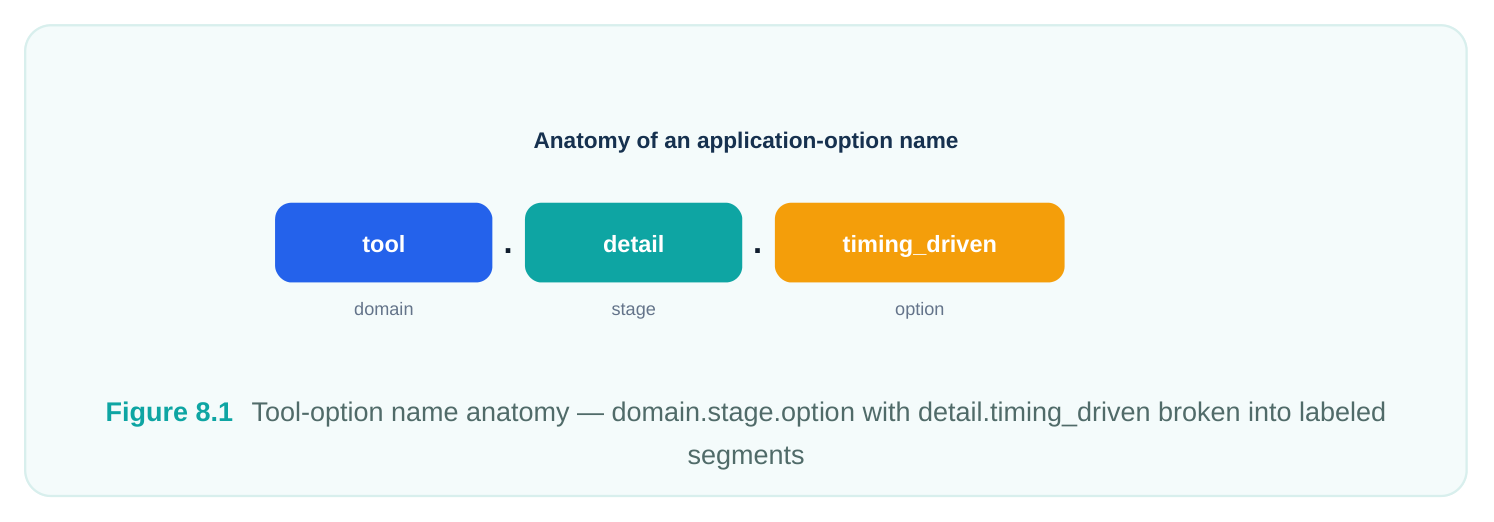
Every tool option follows a strict dotted hierarchy: domain.stage.option. The leftmost token is the tool domain — for routing it is always route . The middle token is the stage or scope within that domain. The rightmost token (which can itself contain dots for sub-grouping) is the specific behavior being controlled.
So detail.timing_driven parses as: domain = route , stage = detail (detail routing), option = timing_driven . Once you see that pattern, the namespace becomes navigable. If you want a globalrouting crosstalk knob, you already know it begins with global.crosstalk . If you want a detail-route iteration limit, you reach for detail.* .
A handful of options live under common.* rather than a specific stage. These are cross-stage policies — things like on-grid wire enforcement, pin-access rules, or shielding behavior — that affect global, track, and detail routing simultaneously. When a setting logically belongs to "routing as a whole" rather than to one engine, it lands in common . Two more structural facts matter. First, tool options are persistent within a session until you change them or reset them; setting one before global_route and a different value before detail_route is a legitimate way to phase your effort. Second, most routing options are global in effect — they apply to the whole block and all nets — whereas net-specific behavior (priority, NDRs, shielding on a particular net) is set with object-level commands like apply_routing_rule or net attributes, not with
set_tool_option . Keep that distinction sharp; interviewers probe it constantly.It also helps to know that every tool option carries metadata beyond its value: a default, a type, an allowed-value set (for enums), and frequently a one-line description. The tool can show you all of this, which means you rarely have to guess what an option accepts. When you encounter an unfamiliar option in someone else's script, the fastest path to understanding it is not the manual — it is asking the tool to describe the option directly. That habit keeps you from copying settings whose meaning you have not verified, which is exactly the kind of cargo-culting that produces mysterious QoR regressions three blocks later.
Querying and Reporting Option Values
Before you change anything, learn to inspect. report_app_options accepts a glob pattern and prints the option, its current value, and its default. This is your single most useful diagnostic for "why did routing behave that way."
# Report every routing option and its current value
report_app_options route.*
# Narrow to just the detail-router family
report_app_options detail.*
# Inspect a single option, including its default and whether it was changed
report_app_options detail.timing_driven
# Programmatically fetch a value for use in a script
set td [get_app_option_value -name detail.timing_driven]
puts "Detail timing-driven is currently: $td"
# Restore one option (or a pattern) to its tool default
reset_app_options detail.timing_driven
The output of report_app_options flags any option whose current value differs from the default, which is invaluable when you inherit a script and need to know what the previous engineer overrode. A clean habit is to dump report_app_options route.* into your run log so that, months later, you can reproduce exactly what was set. There is a subtle but important difference between reporting and fetching. report_app_options is for humans — it prints a formatted table meant to be read. get_app_option_value is for scripts — it returns a single value you can branch on. Mixing them up is a common beginner mistake: you cannot reliably parse the pretty-printed report inside a conditional, so when your flow needs to make a decision based on a setting (say, choosing a different effort level for blocks that already have timingdriven detail routing enabled), reach for get_app_option_value , not string-scraping of the report. Setting a value is symmetrical and verbose-friendly:
# Boolean knobs
set_tool_option -name detail.timing_driven -value true
set_tool_option -name global.crosstalk_driven -value true
# Integer / effort knobs
set_tool_option -name detail.max_number_iterations -value 60
# String / enum knobs
set_tool_option -name detail.drc_convergence_effort_level -value high
# Several at once is fine — each needs its own -name/-value pair
set_tool_option -name global.timing_driven -value true
set_tool_option -name track.timing_driven -value true
Note the convention: booleans take true / false , effort levels take named enums such as low /
medium / high , and counts take integers. Passing the wrong type produces an immediate error rather than a silent misconfiguration, which is a small mercy.
Common Options (common.*)
The common family holds policies that transcend any single routing engine. These are the rules the router obeys regardless of whether it is currently doing global, track, or detail work. The most consequential are about grid discipline and pin connectivity, because they directly affect manufacturability and sign-off. Routing Flow
| Global | Track | Detail | Postroute |
|---|---|---|---|
| Route | Assignment | Route | Opt |
Figure 8.2 Common scope — single box feeding into global, track, and detail engines, showing on-grid and pin-
connection policies applied across all three On-grid enforcement deserves special attention at advanced nodes. Off-grid wires and vias are a classic source of DRC and lithography pain, so forcing wires and vias to snap to the routing/via grid — controllable per layer — is often a sign-off requirement rather than a preference.
| Option (common.*) | Type | What it controls |
|---|---|---|
| verbose_level | integer | Log detail for routing messages; raise it when |
debugging, lower it for production runs
connect_within_pins enum How the router treats access to library-cell pins;
enable_single_connection_to_pin boolean Forces exactly one connection point per pin
net_connect_to_secondary_pg_pin boolean Allows connection to secondary power/ground pins
post_route_fix_soft_violations boolean Enables a post-route pass that cleans up soft
concurrent_redundant_via_insertion boolean Inserts redundant (double) vias during routing to On-grid control is typically expressed per layer so you can be strict where it matters and lenient where it does not:
# Force on-grid wires and vias on the lower metals where DRC risk is highest
set_tool_option -name common.on_grid_routing_layers -value {M1 M2 M3}
# Keep verbose output low for a clean production log
set_tool_option -name common.verbose_level -value 1
# Allow the router to wire up secondary PG pins on always-on cells
set_tool_option -name common.net_connect_to_secondary_pg_pin -value true
# Single, well-defined connection per signal pin (cleaner for sign-off)
set_tool_option -name common.enable_single_connection_to_pin -value true
# Let the router clean soft violations after the main detail passes
set_tool_option -name common.post_route_fix_soft_violations -value true
Shielding has both a common policy layer and stage-specific behavior. The common knobs decide whether shielding is honored as a routing constraint and how aggressively the router reserves adjacent tracks for shield wires; the per-net shielding intent itself is attached to nets through routing rules. The practical rule of thumb: declare shielding intent on nets, then make sure the common shielding policy is permissive enough for the router to act on it. A word of caution on the common family as a whole: because these settings touch every routing stage, a careless change here has the widest blast radius of any routing knob. Forcing on-grid routing on a layer the technology cannot fully support, or demanding single-connection-to-pin on a library whose cells expect multiple touch-downs, can manifest as confusing DRC explosions or unroutable nets far downstream. The discipline is to change one common policy at a time, route, and read the result — never to bulk-flip half a dozen common options and then wonder which one broke convergence.
Global Routing Options (global.*)
Global routing partitions the die into gcells and decides, coarsely, which gcell-to-gcell paths each net should take while balancing congestion. The global.* family is where you tell that engine to care about more than just congestion — chiefly timing and crosstalk.
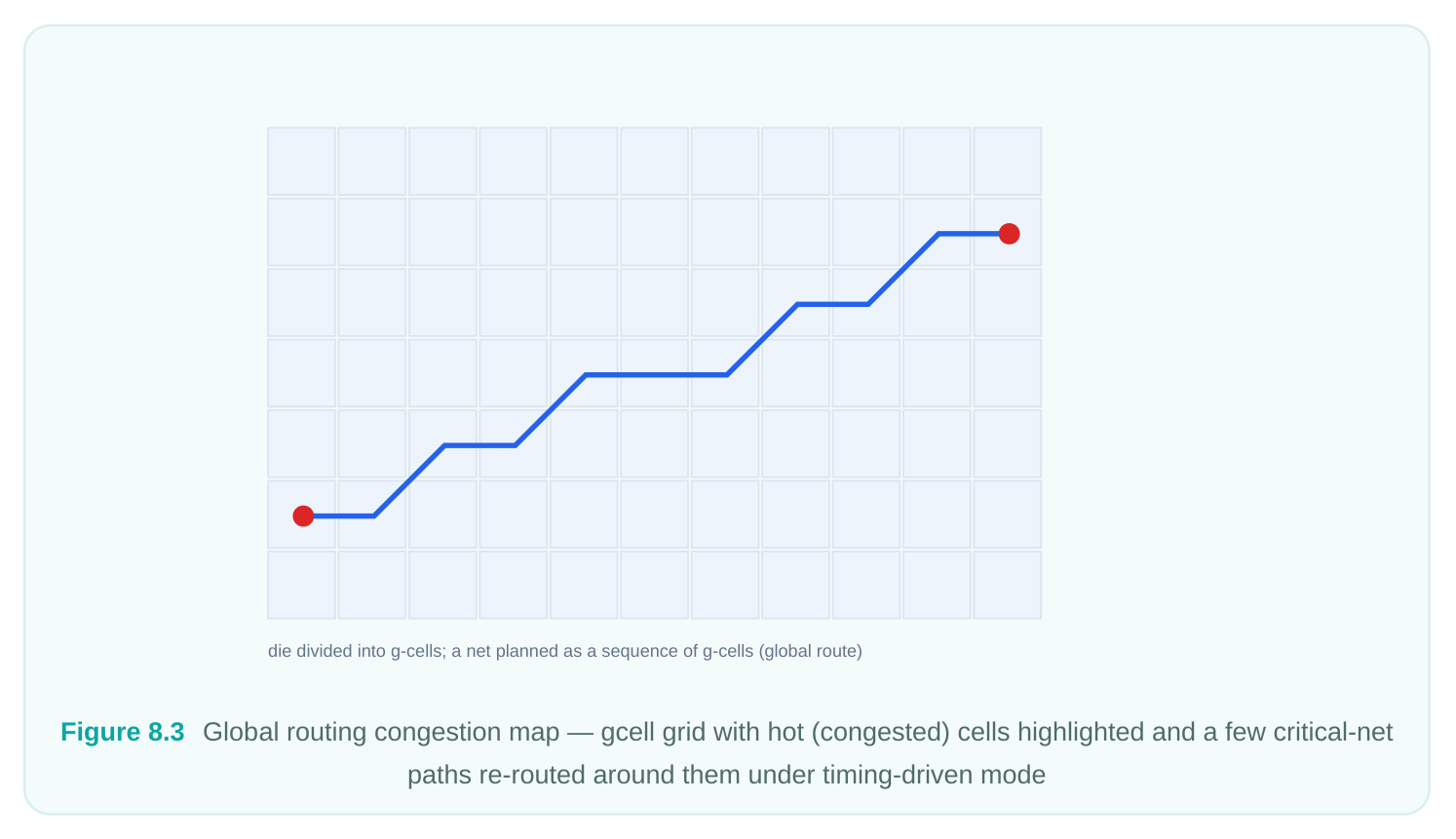
Turning on timing_driven makes global routing bias critical-net topologies toward shorter, faster paths even at some congestion cost. crosstalk_driven makes it spread aggressors and victims apart early, before track assignment locks geometry in. At advanced nodes, an additional effort knob lets you trade runtime for deeper timing optimization during the global phase.
| Option (global.*) | Type | What it controls |
|---|---|---|
| timing_driven | boolean | Global router optimizes critical nets for timing, not just |
congestion
crosstalk_driven boolean Spreads coupled nets apart during global routing to pre-empt
timing_driven_effort_level enum Depth of timing optimization at advanced nodes (e.g. low/
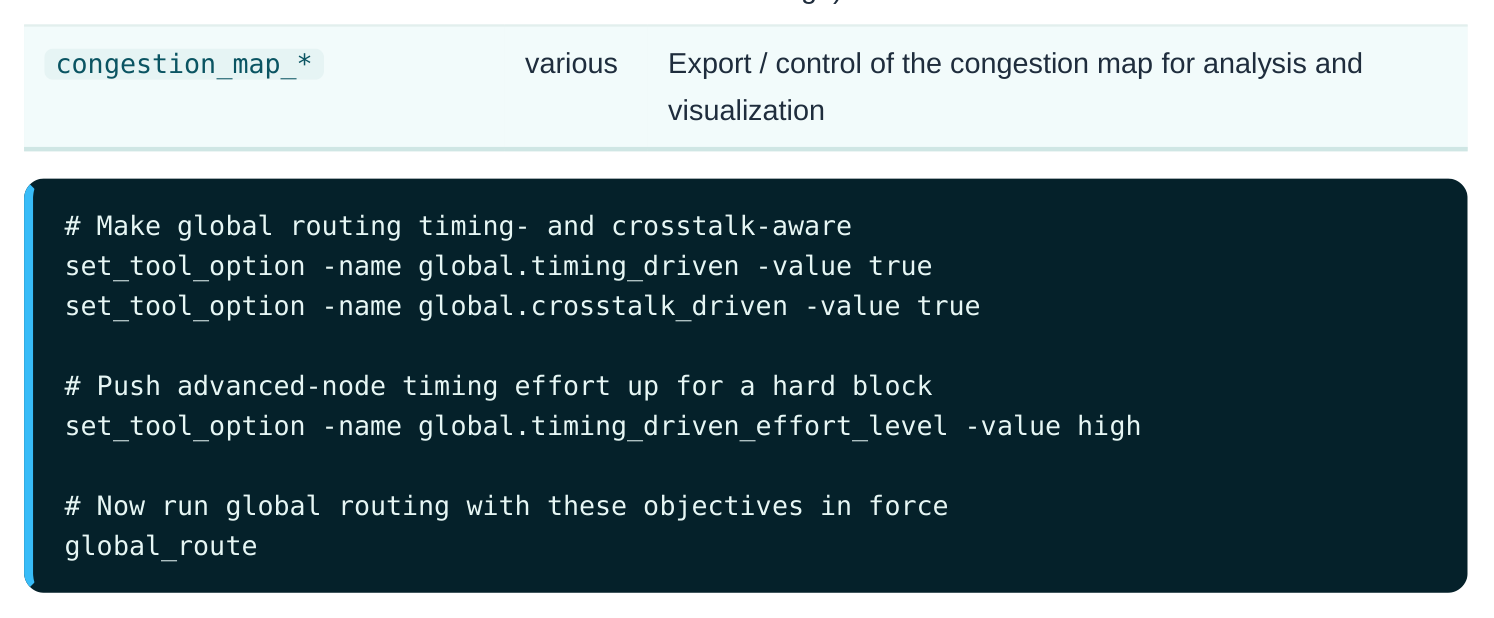
The congestion map is the single most useful artifact global routing produces. You can export it and overlay it in the GUI to see exactly which regions are over capacity. When a block refuses to converge, the congestion map (not the timing report) is usually where the diagnosis starts — a timing-driven global route that ignores a red congestion hotspot is fighting a losing battle, and the fix is often floorplan or placement, not a routing knob.
Track Assignment Options (track.*)
Track assignment is the intermediate stage that takes the coarse global routes and assigns each segment to a specific track within its layer, before detail routing fills in the exact jogs and vias. Because this is where long parallel runs get their final adjacency, it is the natural place to enforce timing and crosstalk intent on the actual geometry.
| Option (track.*) | Type | What it controls |
|---|---|---|
| timing_driven | boolean | Assigns critical-net segments to tracks that favor shorter/faster routing |
| crosstalk_driven | boolean | Chooses tracks to minimize coupling between aggressor and victim nets |
# Carry timing and crosstalk intent into track assignment
set_tool_option -name track.timing_driven -value true
set_tool_option -name track.crosstalk_driven -value true
The important conceptual point is consistency across stages. If you enable timing-driven global routing but leave track assignment congestion-only, the careful topology choices made globally can be undone when segments are packed onto tracks. Experienced engineers turn the timing-driven and crosstalk-driven flags on for all three relevant stages together so the objective propagates end to end. There is a runtime cost, but for a timing-critical or SI-sensitive block it is almost always worth paying. Routing Flow
| Global | Track | Detail | Postroute |
|---|---|---|---|
| Route | Assignment | Route | Opt |
Figure 8.4 Stage pipeline — global -> track -> detail with timing_driven/crosstalk_driven flags shown enabled
consistently across all three
Detail Routing Options (detail.*)
Detail routing is where wires become real: exact shapes, vias, jogs, and DRC-clean geometry. This is also the stage with the richest option set, because it is the convergence engine — it iterates until DRC clears (or until it gives up). The detail.* family controls objectives (timing), effort (how hard it tries to converge), limits (when to stop), and a few targeted repair behaviors.
| Option (detail.*) | Type | What it controls |
|---|---|---|
| timing_driven | boolean | Detail router preserves and improves timing while |
cleaning DRC
drc_convergence_effort_level enum How aggressively the router works to close the last
max_number_iterations integer Hard cap on detail-route iterations (runtime safety
repair_shorts_over_macros boolean Targets the common short-circuit failures that occur
report_ignore_drc boolean / Suppresses or filters specified DRC types fromlist convergence reporting
set_tool_option -name detail.timing_driven -value true
set_tool_option -name detail.drc_convergence_effort_level -value high
# Bound iterations so a pathological case can't run forever
set_tool_option -name detail.max_number_iterations -value 60
# Help close shorts that tend to appear over macros
set_tool_option -name detail.repair_shorts_over_macros -value true
# Run detail routing under these settings
detail_route
A few of these deserve a closer look. The drc_convergence_effort_level knob is the one you escalate when a block stalls with a stubborn residual violation count — raising it lets the router rip up and reroute more aggressively in the problem areas, at the cost of runtime. The max_number_iterations cap is its counterweight: it prevents a hopeless convergence chase from burning the entire compute budget, which matters when you are running many blocks overnight. repair_shorts_over_macros addresses a specific, recurring failure mode. Routing channels above hard macros are tight and irregular, and shorts cluster there; enabling targeted repair lets the detail router spend extra effort precisely where it is needed instead of treating those shorts like any other. Finally, report_ignore_drc is a reporting-hygiene control, not a fixing control. It lets you exclude known-benign or waived DRC categories from the convergence summary so the real, actionable violation count is not buried. Use it carefully — ignoring a DRC in the report does not make the geometry clean, and an interviewer will catch you if you conflate "ignored in the report" with "fixed in the layout."
Putting It Together: A Realistic Tuning Sequence
In practice you set the cross-stage and per-stage objectives first, then run the engines in order. The following is a representative high-effort, timing-and-SI-aware setup for a critical block.
# --- Common policies (apply to all routing stages) ---
set_tool_option -name common.verbose_level -value 1
set_tool_option -name common.on_grid_routing_layers -value {M1 M2 M3}
set_tool_option -name common.post_route_fix_soft_violations -value true
# --- Global routing objectives ---
set_tool_option -name global.timing_driven -value true
set_tool_option -name global.crosstalk_driven -value true
set_tool_option -name global.timing_driven_effort_level -value high
# --- Track assignment objectives ---
set_tool_option -name track.timing_driven -value true
set_tool_option -name track.crosstalk_driven -value true
# --- Detail routing objectives, effort, and limits ---
set_tool_option -name detail.timing_driven -value true
set_tool_option -name detail.drc_convergence_effort_level -value high
set_tool_option -name detail.max_number_iterations -value 60
set_tool_option -name detail.repair_shorts_over_macros -value true
# --- Snapshot the configuration into the run log, then route ---
report_app_options route.*
auto_route
The report_app_options route.* line just before routing is not decoration — it is a reproducibility anchor. Anyone reading the log later can see the complete routing posture without re-deriving it from a tangle of sourced scripts.
Interview Q&A
expect a crosstalk knob for global routing to live? The name is domain.stage.option: route is the tool domain, detail is the routing stage (detail routing), and timing_driven is the behavior. By the same logic, a crosstalk knob for global routing lives under global.crosstalk_driven . The dotted hierarchy is predictable, so once you know the stage you want, you know the prefix to search.
options are cross-stage policies that the router honors during global, track, and detail routing — things like on-grid enforcement, pin-connection rules, or secondary PG-pin connection. detail.* options affect only the detail-routing engine — its timing awareness, DRC-convergence effort, iteration cap, and targeted repairs. If a setting should govern "routing as a whole," it belongs in common ; if it tunes one engine, it belongs to that stage.
adjacency. Why, and what would you check? Most likely the objective was not carried through every stage. Timing-driven global routing chooses good topologies, but if track assignment is left congestion-only, those choices get undone when segments are packed onto tracks. The fix is to also set track.timing_driven (and usually detail.timing_driven ) so the objective propagates end to end. Run report_app_options route.* to confirm all three flags are actually true and not silently left at default.
Which tool options do you reach for? Two in particular. detail.repair_shorts_over_macros true directs targeted effort at exactly the macro-channel shorts that are the failure mode here. And detail.drc_convergence_effort_level high lets the detail router rip up and reroute more aggressively to close the last violations. I would also confirm detail.max_number_iterations is high enough that the router isn't quitting prematurely. What I would not do is paper over it with
report_ignore_drc , because that only hides the violation from the report, it does not fix thegeometry.
default? To inspect, use report_app_options detail.timing_driven , which prints the current value, the default, and whether it was changed. To capture it programmatically, use get_app_option_value - name detail.timing_driven and store the result in a variable. To revert, use reset_app_options detail.timing_driven , which restores the tool default. Dumping report_app_options route.* into the run log before routing is the standard way to make a run reproducible.
Key Takeaways
- App options follow a strict domain.stage.option hierarchy;
routeis always the domain, and the stage (common,global,track,detail) tells you which engine or policy you are tuning. common.*holds cross-stage policies — on-grid wires/vias by layer, single connection to pins, secondary PG-pin connection, post-route soft-violation fixing, verbosity, and shielding policy.global.*adds timing-driven and crosstalk-driven objectives plus advanced-node effort to the congestion-balancing global router; the exported congestion map is your first diagnostic when a block won't converge.track.*carries timing-driven and crosstalk-driven intent into track-level geometry; enabling it consistently with global and detail is what keeps objectives from being undone between stages.detail.*is the convergence engine's control panel: timing-driven behavior,drc_convergence_effort_level,max_number_iterations,repair_shorts_over_macros, andreport_ignore_drc.- Use
set_tool_option -name ... -value ...to set,report_app_options route.*to inspect,get_app_option_valueto fetch, andreset_app_optionsto revert. Most routing options are global in effect; per-net behavior comes from routing rules and net attributes, not tool options. - Snapshot
report_app_options route.*into your log right before routing — it is the cheapest reproducibility insurance you can buy.
Comments
Leave a Reply