 ChipBuddy
← Home
ChipBuddy
← Home
Multivoltage Reporting & Debugging
Applying power intent is only half the job. Once the standard has been read, the power architecture elaborated, and the special cells inserted, you must prove that what the tool built matches what you meant. A power-managed design that simulates correctly in functional verification can still be wrong in ways that only surface at signoff or, worse, in silicon: a missing isolation cell on a path that crosses into a domain that powers down, a level shifter inserted in the wrong direction, a retention strategy that was silently skipped because a supply could not resolve. Reporting and debugging are the disciplines that close this gap. This chapter treats the multivoltage database as something you interrogate. You ask the tool what it built, you cross-check that against intent, and when the two disagree you follow a repeatable path from symptom to root cause to fix. Mastering this loop is what separates an engineer who writes power intent from one who can be trusted to sign it off.
Why Reporting Comes First
Before you debug anything, you need a faithful picture of the elaborated power structure. The power intent file is a specification; the elaborated database is the implementation. They are not the same object. The tool makes inference decisions: it resolves which supply set drives each domain, decides whether a boundary genuinely needs a level shifter, picks a cell from the library that satisfies the strategy. Every one of those decisions can diverge from your mental model. A disciplined flow generates a small set of reports immediately after elaboration and again after cell insertion:
- A domain report — every power domain, its boundary, its primary supply, and its associated supply sets.
- A supply report — every supply net and supply set, its function (primary, isolation, retention, backup), and what it resolves to under each operating state.
- A strategy report — every isolation, level-shifter, retention, and switch strategy, and whether it was applied, partially applied, or dropped.
- A power-management (PM) cell report — every special cell physically inserted, its type, the strategy that requested it, and the net it is controlled by. The first three describe intent as elaborated; the last describes what was built. Debugging almost always means reconciling the last against the first three.
Reporting the Power Architecture
The domain report is the natural starting point. It answers "what regions exist and how are they powered?"
# List all power domains with their extent and primary supply
report_power_domains -verbose
# Focus on one domain and show the instances it contains
report_power_domains -domain PD_CORE -elements
# Show the supply sets and supply nets in the design
report_supply_nets -domains
report_supply_sets -resolved
A good domain report tells you, per domain: the boundary (the instance subtree it covers), the primary supply set, and any extra supply sets bound to it for isolation or retention. The -resolved form is the important one for supply sets — it shows what each function (power, ground, nwell, pwell) actually maps to after the tool has chained associations and defaults. Many "phantom" bugs are simply a function that resolved to nothing. Next, summarize the strategies. This is where you confirm intent was understood, separately from whether cells were inserted.
# Summarize all multivoltage strategies and their status
report_mv_strategies -type {isolation level_shifter retention power_switch}
# Per-domain isolation strategy detail: clamp value, enable, location
report_isolation -domain PD_CORE -verbose
# Level-shifter strategy detail: direction, threshold, location
report_level_shifters -domain PD_CORE -verbose
Finally, report the cells that were physically inserted. The PM-cell report is the single most useful artifact in multivoltage debug because it is the bridge between strategy and netlist.
# All inserted power-management cells, grouped by type
report_pm_cells -type all -summary
# Detailed view: each cell, its strategy, control net, and location domain
report_pm_cells -type {iso ls retention switch} -verbose
A per-domain summary table built from these reports is the artifact most teams review at a power checkpoint:
| Domain | Primary supply | Isolation cells | Level shifters | Retention regs | Switchable |
|---|---|---|---|---|---|
| PD_TOP | VDD (always-on) | 0 | 4 (down) | 0 | No |
| PD_CORE | VDD_CORE | 18 (out) | 12 (up/down) | 540 | Yes |
| PD_GFX | VDD_GFX | 26 (out) | 9 (up) | 0 | Yes |
| PD_AON | VDD (always-on) | 0 | 0 | 0 | No |
When this table matches your floorplan-level expectation — switchable domains have isolation on their outputs, voltage-crossing boundaries have shifters, state-preserving domains have retention — you have a defensible architecture. When a cell count is zero where you expected dozens, you have your first debug target.
Querying Design and Port Attributes
Summary reports tell you what exists in aggregate. Debugging a single suspicious boundary requires pinpoint queries: what supply does this exact port reference, which domain owns this exact cell, why does this one net not resolve. Generic query commands return attributes for a named object so you can script checks and inspect anomalies.
# What supply set / nets does a given port reference?
query_port_attributes -port U_core/data_out \
-attributes {related_supply driver_supply receiver_supply}
# Which power domain does an instance belong to?
get_attribute [get_cells U_core/fifo_reg] power_domain
# What does a supply net resolve to in a given operating state?
query_supply_attributes -net VDD_CORE \
-state SLEEP -attributes {voltage state resolved_function}
Three attributes resolve the majority of boundary questions: Question you are
Attribute to query What a wrong answer looks like
| Which voltage | driver_supply / | Resolves to a domain that powers off while the |
|---|---|---|
| drives this port? | related_supply | receiver stays on |
| Which voltage | receiver_supply | Mismatch vs driver but no shifter inserted |
receives it?
| Is this port a domain | power_domain of driver vs | Same domain (no crossing — strategy correctly |
|---|---|---|
| crossing? | receiver cell | skipped) or different (crossing expected) |
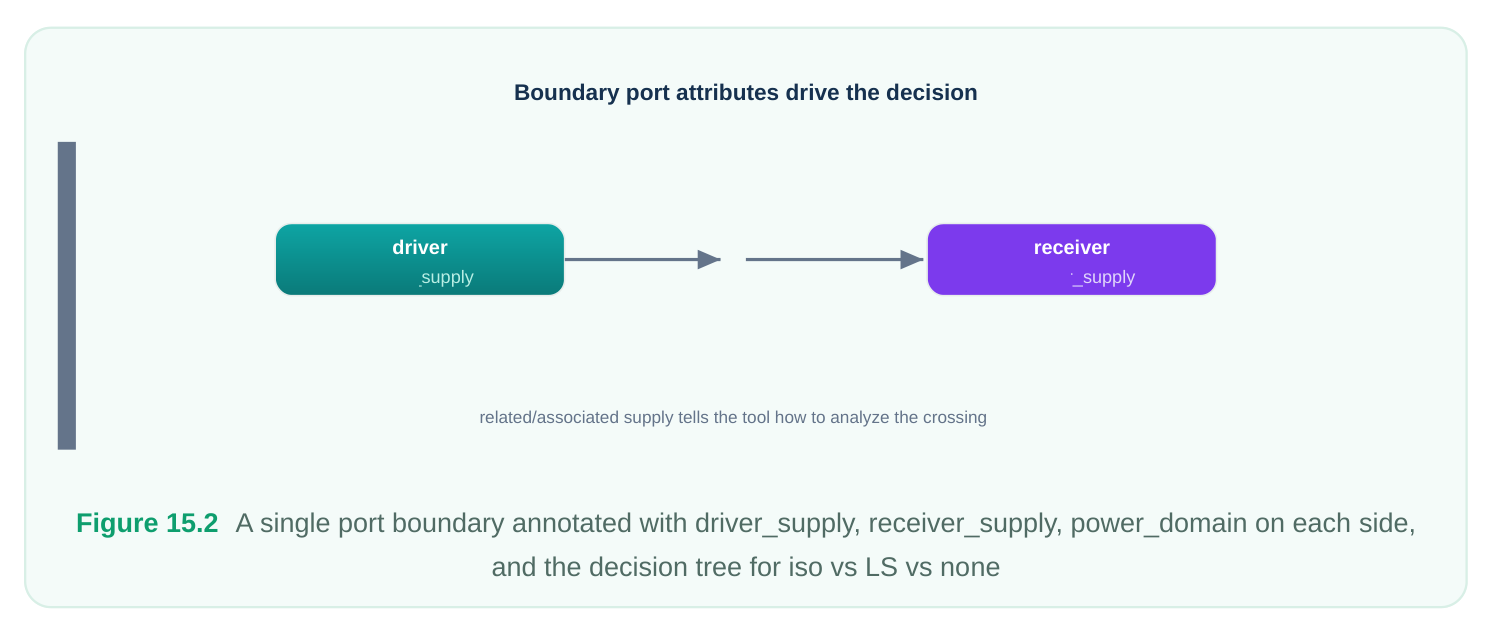
The key mental model: a boundary cell is required when driver supply and receiver supply differ in a way the strategy targets. Isolation cares about whether the driver can power down while the receiver
stays up. Level shifting cares about whether the two voltages differ enough to need translation. If you query both supplies on a port and they tell a consistent story with the inserted (or absent) cell, the tool did the right thing. If they don't, you have found the bug — or the gap in your intent.
Debugging Common Situations
A STRATEGY THAT WAS "DROPPED" OR NOT APPLIED
The most common surprise is a strategy that the tool accepted syntactically but did not act on. Causes cluster into a few buckets: the strategy's filter (the set of ports it targets) matched nothing; the supply it referenced did not resolve; or a later, more specific strategy overrode it. Diagnose by asking the tool to explain the strategy's scope.
# Show which ports a strategy actually matched
report_isolation -strategy iso_core_out -matched_ports
# If empty, the element/port filter is wrong, or the boundary
# is not where you think it is.
report_mv_strategies -strategy iso_core_out -why_dropped
If -matched_ports is empty, your filter expression or domain boundary is the suspect, not the strategy semantics. If the filter matches but no cell appears, look at supply resolution next.
AN UNEXPECTED OR MISSING BOUNDARY CELL
A missing cell usually means the tool decided no crossing existed; an unexpected cell usually means a crossing existed that you did not anticipate. Both are answered with port queries. Query driver_supply and receiver_supply on the port in question. If they are identical, the tool correctly skipped insertion and your expectation was wrong. If they differ but no cell was placed, check whether the strategy's location (inside the source domain vs the destination domain) put the cell on a boundary that your filter excluded.
AN UNMAPPED POWER-MANAGEMENT CELL
After insertion, a strategy may have created a logical cell that could not be mapped to a real library cell. This happens when no library cell satisfies the strategy's requirements — for example, a level shifter for a voltage pair the library does not characterize, or a retention flop whose control-pin style the library lacks.
# Find PM cells that have no library binding
report_pm_cells -unmapped
# Inspect the requirement that no cell satisfied
get_attribute [get_cells U_core/iso_q_42] required_function
The fix is almost always library-side: confirm the library is loaded, the cell is not marked dont-use, and a cell exists for the specific voltage pair, threshold, and pin style required.
A SUPPLY THAT WON'T RESOLVE
Supply resolution failures cascade — an unresolved supply makes every strategy that references it drop. Trace resolution from the function backward to its source.
# Show the full resolution chain for a supply set function
report_supply_sets -resolved -verbose -supply_set ss_core
# Identify functions that resolved to nothing
report_supply_nets -unresolved
An unresolved function is typically a missing association (the supply set was never bound to a net) or a typo in a net name that silently created a dangling reference.
Resolving Multivoltage and PVT Violations
Once the structure is correct, the next class of issues is electrical and timing. Multivoltage checks flag illegal connectivity — a signal driven by one supply feeding a cell on a different, incompatible supply without translation. PVT-related violations arise because each domain can run at its own voltage, so the same cell may sit in different operating conditions depending on which domain it belongs to and which state that domain is in. The systematic response is to verify two things in order. First, connectivity: every voltage crossing has the correct cell, and that cell's own supplies are legal (a shifter must be powered by both the source and destination rails; an isolation cell's enable must come from an always-on supply). Second, timing across states: the boundary cells must meet timing in every operating mode, not just the nominal one, because a level shifter that is fast at nominal can violate at a low-voltage corner.
# Check legality of all voltage crossings
check_mv_design -verbose
# Report cells whose supplies are inconsistent with their domain
report_mv_violations -type {iso_supply ls_supply missing_ls}
A compact triage for the recurring multivoltage violation types:
| Violation | Typical root cause | First fix to try |
|---|---|---|
| Missing level shifter | Threshold set too high; crossing below trigger | Lower threshold or add explicit strategy on the pair |
| Wrong-direction shifter | Strategy direction defaulted incorrectly | Set explicit up/down or both on the strategy |
| Isolation enable on | Enable net routed from a domain that | Reroute enable to an always-on |
| switchable rail | powers off | supply |
| Shifter powered by single | Destination supply not associated to | Bind both source and destination |
| rail | the cell | supplies |
| PVT corner timing fail at | Cell timed only at nominal mode boundary | Add the low-voltage mode to multimode analysis |
Resolving Isolation Violations on DFT / Scan Paths
Scan and other test structures are a notorious source of late-stage isolation violations because test logic is often stitched after the functional power architecture is settled, and the scan path deliberately threads through every domain — including ones that power down. Two patterns dominate. First, a scan chain that enters a switchable domain and exits to an always-on domain creates an output crossing that must be isolated, exactly like a functional output. If the scan stitching introduced the port after isolation strategies were defined, the new port may fall outside the strategy's filter and end up unisolated. Second, isolation control and scan enable can conflict: during test, you may need the domain powered and isolation transparent, but the isolation enable and the test-mode controls must be sequenced so the domain is never sampled while floating. The cleanest resolution is to make isolation strategies match scan ports explicitly and to drive isolation enables from always-on test controllers.
# Re-run isolation matching after scan insertion to catch new ports
report_isolation -domain PD_CORE -matched_ports -include_scan
# Verify scan-out ports of a switchable domain are isolated
query_port_attributes -port [get_ports -of_domain PD_CORE -scan_out] \
-attributes {isolated isolation_strategy clamp_value}
If isolated returns false for any scan-out of a switchable domain, extend the strategy filter or add a scan-specific isolation strategy, then re-elaborate.
A Systematic Debug Workflow
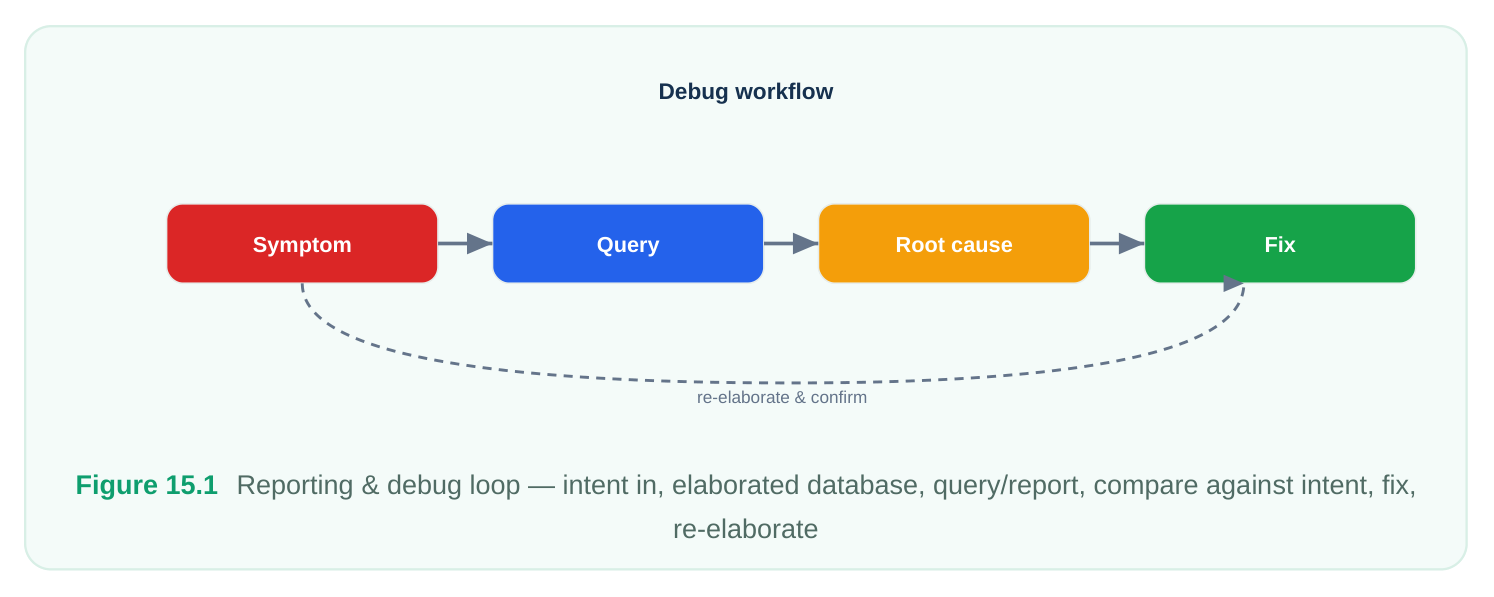
Ad hoc debugging wastes hours; a fixed loop solves issues in minutes. The loop is always the same: observe the symptom, run a query to gather facts, deduce the root cause from the facts, apply the fix, then re-elaborate and confirm.
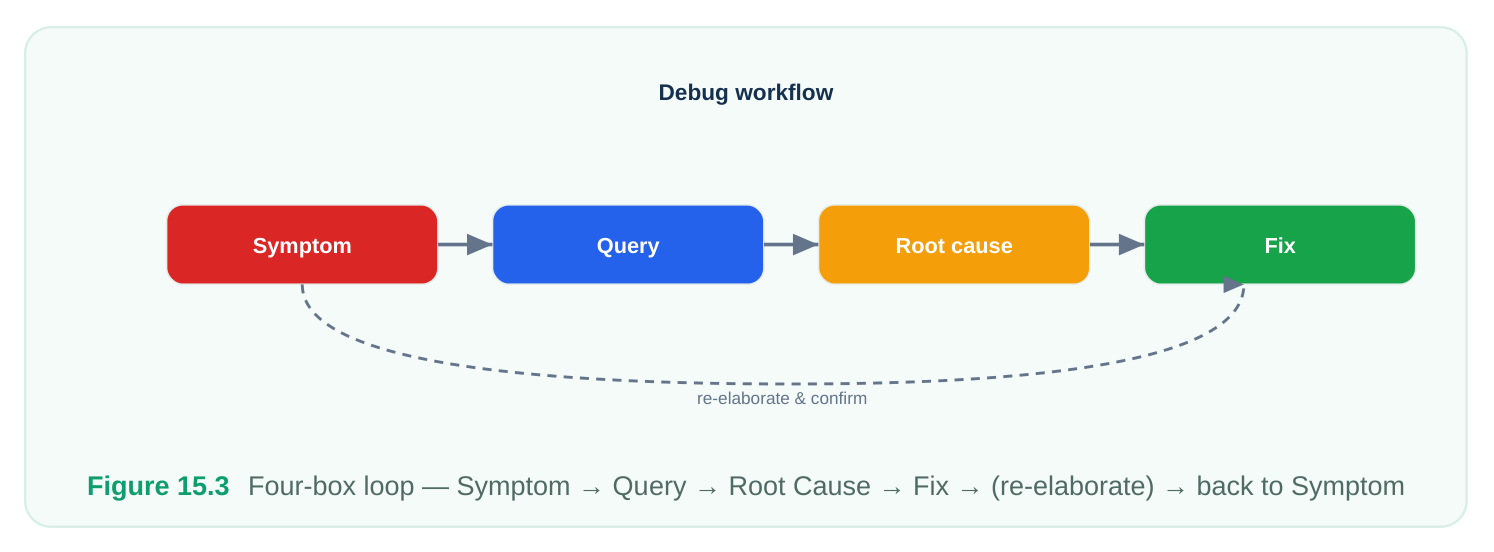
The discipline is to never jump from symptom straight to fix. A missing isolation cell feels like "the strategy is broken," but the query may reveal the supplies are identical (no crossing) or the port arrived after the strategy was defined (filter miss). The fix differs entirely depending on which fact the query surfaces. A troubleshooting table that maps the common symptoms through the loop:
| Symptom | Query to run | Likely root cause | Fix |
|---|---|---|---|
| Strategy reports | report_isolation - | Filter matched no | Correct element/port |
| zero cells | matched_ports | ports | filter or domain extent |
| Cell expected, | query_port_attributes driver/ | Driver = receiver | Expectation wrong; or |
| none inserted | receiver_supply | supply (no crossing) | fix supply association |
| Cell inserted, | get_attribute power_domain on | Genuine crossing | Accept cell, or |
| none expected | both ends | you overlooked | restructure boundary |
| PM cell | report_pm_cells -unmapped unmapped | No library cell for the requirement | Load/enable correct library cell |
| Supply shows | report_supply_sets -resolved - | Missing association | Add association / fix |
| unresolved | verbose | or net typo | net name |
| MV violation at | check_mv_design -verbose crossing | Wrong cell type, direction, or supply | Adjust strategy direction/threshold/ |
supplies
| Scan-out | query_port_attributes - | Scan port added | Extend filter to scan |
|---|---|---|---|
| unisolated | scan_out isolated | after strategy | ports; re-elaborate |
Treat re-elaboration as part of every fix. Power intent is declarative; editing a strategy and re-running the elaboration is the only way to know the change took effect. Re-run the same query that exposed the symptom — if it now returns the expected answer, the loop is closed.
Interview Q&A
prove or disprove that in one or two commands? Run the strategy's matched-ports report first ( report_isolation -strategy <name> - matched_ports ). If it returns ports but no cells, the strategy is fine and the issue is downstream — likely an unresolved isolation supply, so check report_supply_sets -resolved . If it returns no ports, the strategy never matched anything, and the bug is the element/port filter or the domain boundary, not the isolation logic. Either way you have isolated the layer of the problem before touching any fix.
expected one. What attributes do you check, and what are the two innocent explanations? Query driver_supply and receiver_supply on the port. Two legitimate reasons for no shifter: the two supplies resolve to the same voltage (a domain crossing is not necessarily a voltage crossing, so no translation is needed), or the voltage difference is below the strategy's threshold and the cells are characterized to tolerate it. Only if the voltages genuinely differ beyond the threshold and still no cell exists is it a real bug — then look at the strategy's location and filter.
does this happen specifically with scan, and how do you fix it cleanly? Scan stitching adds new ports — scan-out pins that thread the chain through the switchable domain — after the functional isolation strategies were defined. Those new ports often fall outside the original strategy filters, so they go unisolated even though they are real outputs of a power-down domain. The clean fix is to make isolation strategies explicitly match scan ports (or add a scan-specific strategy), ensure the isolation enable is driven from an always-on test controller, and re-elaborate so the new ports get isolation cells.
have silently dropped as a result. This is a cascade, so I fix the root, not the symptoms. Symptom: multiple strategies report dropped. Query: report_supply_nets -unresolved and report_supply_sets -resolved -verbose to find which function resolved to nothing. Root cause: almost always a missing association between the supply set and its net, or a typo creating a dangling net reference. Fix: add the correct association or correct the name, then re-elaborate. Confirm by re-running the resolved-supplies report and then rechecking that the previously dropped strategies now report inserted cells. One root fix clears all the downstream drops at once.
Key Takeaways
- The power intent file is a specification; the elaborated database is an implementation. Debugging is reconciling the two — never assume they match.
- Generate four reports after elaboration and again after insertion: domains, supplies/supply sets (resolved), strategies (with drop status), and inserted PM cells. The PM-cell report is the bridge between strategy and netlist.
- Pinpoint boundary questions are answered by port attribute queries:
driver_supply,receiver_supply, andpower_domain. A boundary cell is correct only when these tell a story consistent with the cell that is (or is not) there. - Most "broken strategy" reports are filter misses or supply-resolution failures, not strategy-logic bugs. Check matched ports and supply resolution before editing semantics.
- Supply resolution failures cascade and silently drop every dependent strategy. Fix the root supply association, not each dropped strategy.
- Scan paths are a top source of late isolation violations because ports are added after strategies are defined; match scan ports explicitly and drive isolation enables from always-on controllers.
- Multivoltage signoff requires both connectivity legality (correct cell, correct direction, both supplies bound) and cross-state timing (boundary cells must close at every corner, not just nominal).
- Use a fixed loop — symptom, query, root cause, fix, re-elaborate — and never skip from symptom to fix. Re-run the exposing query to confirm closure.
Comments
Leave a Reply